

Alternatives to KPI Studio
KPI Studio transforms raw data into polished video animations in seconds, streamlining your content creation without design tools.
Explore 20 alternatives to KPI Studio. Compare features, pricing, and find the best fit for your needs.

Tip Toeing in My Jordans
Upload a photo and get a 12-second Tip Toeing in My Jordans video: you play the AI Rumpelstiltskin, a friend can play the woman in the hay.
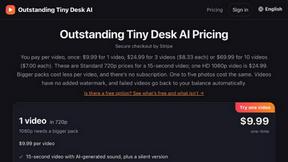
Outstanding Tiny Desk AI
Upload photos of you and up to 4 friends and get a 15-second Outstanding Tiny Desk AI video with AI-generated sound, in 9:16 for TikTok and Reels.

Replyinger
Replyinger automates Instagram and Facebook DMs, comment replies, and story interactions. Creators and businesses can automatically send links

Dola AI
Create AI videos from text or images with Dola AI. Free signup credits, pick a video model and download your clips. Image generation included.

Maeve Social
Plan, approve and publish social content with a shared calendar, client reviews, AI assistance and analytics.

Leadeon
AI growth tool for X and LinkedIn: write posts in your voice, schedule at your best times, find leads on X and see what works.

Slide-Easy
A Mac app that turns your App Store link into a week of Instagram Reels and carousels, written from your real reviews.

99x Prompts | 50k+ AI Prompts
Discover 50,000+ ready-to-use AI prompts for text, image, and video generation. Save time and create better results with AI.
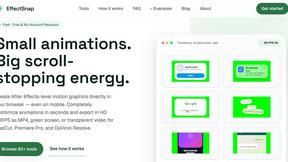
EffectSnap
EffectSnap is a free online motion graphics toolkit for video editors. Create, customize, and export eye-catching motion effects, animations, transiti
VideoToScript
Turn TikTok, Reels, Shorts, Facebook videos, audio, and video into accurate timestamped transcripts with TXT, SRT, and VTT exports.



UGCad AI
AI UGC video ad Generator which Turn a URL, prompt, or template into a ready video ads
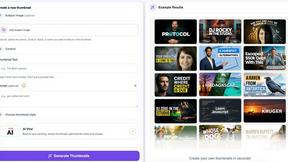
StopScroll
AI YouTube thumbnail maker that helps creators generate high-click thumbnails faster.



About KPI Studio Alternatives
KPI Studio is an innovative solution designed for data-driven video creators, enabling them to quickly animate data into polished video charts. As part of the content creation category, it addresses the need for seamless integration of data visualization in video content without the cumbersome processes typically associated with motion design. Users often seek alternatives to KPI Studio for various reasons, including pricing concerns, specific feature requirements, or compatibility with different platforms. It's essential to consider factors such as ease of use, export options, and the ability to customize visuals when looking for an alternative that meets your video creation needs. When choosing an alternative to KPI Studio, it’s crucial to evaluate the efficiency of the workflow, especially if you are on a tight publishing schedule. Look for tools that allow quick data input and generate high-quality animated visuals with minimal setup. Additionally, consider whether the alternative provides transparent background exports for seamless integration into your existing video editing software, as well as options for advanced editing and customization for more complex projects.
FAQs about KPI Studio Alternatives
What is KPI Studio?
KPI Studio is a tool designed for data-driven video creators, allowing them to seamlessly animate data into polished video charts. It simplifies the process of creating visual data representations, enabling users to produce high-quality animations in under 60 seconds. This makes it an ideal choice for creators looking to enhance their video content with dynamic visuals.
Who is KPI Studio for?
KPI Studio is tailored for content creators who need to incorporate charts and data visualizations into their videos efficiently. It is particularly beneficial for marketers, educators, and video producers who require quick turnaround times for high-quality graphic content. The tool is designed for users who may not have the time or expertise for traditional motion design.
Is KPI Studio free?
KPI Studio is a paid tool, reflecting its advanced features and capabilities in creating animated video charts. While it may not offer a free version, the investment can be worthwhile for users who need to streamline their video production workflows. Pricing details can typically be found on the official website.
What are the main features of KPI Studio?
KPI Studio offers a range of features designed to facilitate quick and efficient data visualization. Users can paste their data, select from various chart types, and export fully animated visuals ready for video editing in under one minute. The tool also supports exports with transparent backgrounds, ensuring easy integration with major video editing software like Premiere Pro, Final Cut, or After Effects.