
GPT Image 2 Generator
GPT Image 2 Generator transforms text and images into stunning AI art, product visuals, and UI concepts with customizable aspect ratios and up to 4K.
Visit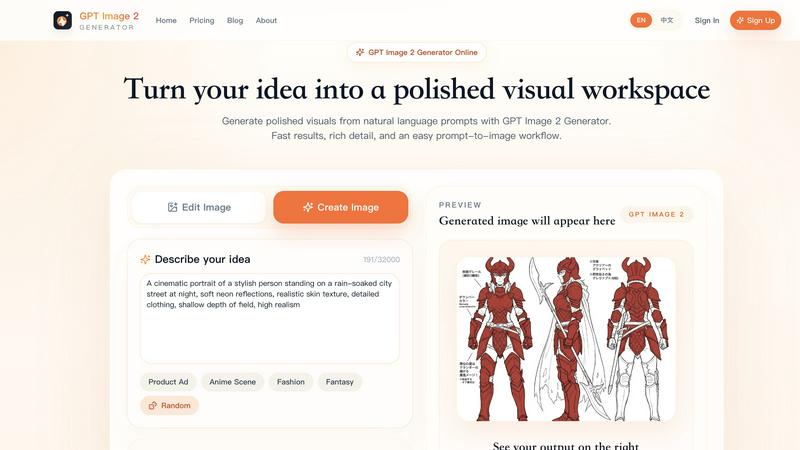
About GPT Image 2 Generator
GPT Image 2 Generator is a next-generation AI art creation tool designed to transform text prompts and existing images into high-quality, professional-grade visual content. This platform serves a wide range of users, from graphic designers and marketers to UI/UX developers and content creators, by offering a versatile set of capabilities that go beyond simple image generation. The core value proposition of GPT Image 2 Generator lies in its ability to handle multiple creation modes, including text-to-image and image-to-image generation, while providing granular control over output specifications. Users can dictate aspect ratios such as 1:1, 9:16, 16:9, 4:3, and 3:4, and choose from resolution options ranging from 1K to 4K, ensuring that the final product meets specific project requirements. The tool is particularly adept at producing a diverse array of visuals, including product advertisements, anime scenes, fashion concepts, fantasy art, and UI design systems. It also includes practical features like a free trial offering three initial generations, a credit-based system for higher resolutions, and a library of preset examples to inspire users. By combining advanced AI image generation with user-friendly controls, GPT Image 2 Generator empowers creators to produce polished, presentation-ready visuals efficiently, making it an essential resource for anyone looking to elevate their creative workflow with AI.
Features of GPT Image 2 Generator
Text to Image Generation
This feature allows users to create original visuals from scratch by simply describing their idea in a text prompt. The system supports prompts of up to 20,000 characters, providing ample space for detailed descriptions. Whether you need a specific product visual, a complex scene, or an abstract concept, the AI interprets the text and generates a corresponding image. This mode is the foundation of the tool and is highly effective for brainstorming, prototyping, and creating unique assets that do not rely on any pre-existing visual input.
Image to Image Generation
With the image-to-image capability, users can take an existing image and use it as a foundation for new creations. This feature is ideal for editing, refining, or transforming current visuals into different styles or contexts. For example, a user can upload a basic product photo and generate a polished product detail board with multiple angles and feature callouts. This mode provides a powerful way to iterate on existing designs, maintain visual consistency across projects, and generate variations of a core concept without starting from a blank canvas.
Aspect Ratio and Resolution Controls
GPT Image 2 Generator offers precise control over the final output's dimensions and quality. Users can select from five aspect ratios, including Auto, 1:1, 9:16, 16:9, 4:3, and 3:4, making it easy to tailor images for specific platforms like social media, presentations, or print. Resolution options include 1K, 2K, and 4K, with the free plan limited to 1K. Higher resolutions require credits, with 2K costing 20 credits and 4K costing 40 credits per generation. This flexibility ensures that users can produce everything from quick drafts to high-fidelity final assets suitable for professional use.
Preset Examples and Workflow Guidance
To help users get started and understand the tool's potential, the platform includes a library of preset examples that demonstrate different prompt styles and outcomes. Examples range from a TikTok live stream screenshot to a cyberpunk portrait and a retro pixel art scene. Each preset includes the exact prompt used, the intended aspect ratio, and the resolution stage, serving as practical workflow briefs. This feature not only inspires creativity but also educates users on how to structure prompts effectively for specific use cases, such as ecommerce product visuals or UI concept boards.
Use Cases of GPT Image 2 Generator
Ecommerce Product Visuals
Marketers and ecommerce professionals can use GPT Image 2 Generator to create structured product detail boards that feature multi-angle views, feature callouts, and clean commercial hierarchies. By using the text-to-image mode with a 3:4 aspect ratio and targeting 2K or 4K resolution, users can generate polished visuals for product listings, advertisements, and promotional materials. This use case streamlines the creation of consistent, high-quality product imagery without the need for physical photoshoots or extensive graphic design work.
UI/UX Design Concepts
UI/UX designers can leverage the tool to quickly generate polished interface concept boards for pitch decks and design direction. By specifying a 4:3 aspect ratio and using the text-to-image mode, designers can produce visuals that include desktop screens, mobile flows, cards, buttons, and controls. The AI helps create a consistent visual system, allowing designers to explore multiple layout ideas and present cohesive design concepts to stakeholders before committing to detailed development.
Social Media and Campaign Content
Content creators and social media managers can generate engaging visuals tailored to specific platforms, such as a TikTok live stream screenshot or a campaign portrait. The ability to control aspect ratios like 9:16 for mobile content or 3:4 for portrait-oriented posts ensures that images fit perfectly within platform constraints. The tool's resolution options also allow for high-quality outputs that maintain clarity and impact across digital channels, making it easier to produce professional-grade content rapidly.
Creative and Artistic Exploration
Artists, illustrators, and hobbyists can use GPT Image 2 Generator to explore new creative directions, from cyberpunk portraits to pixel art scenes. The image-to-image mode is particularly useful for transforming existing sketches or photos into different artistic styles, while the text-to-image mode allows for the generation of entirely novel concepts. This use case encourages experimentation and provides a fast way to visualize ideas, generate inspiration, and create unique artworks for personal projects or portfolios.
Frequently Asked Questions
What is the free trial for GPT Image 2 Generator?
New users are provided with a free trial that allows them to generate up to three images. This trial is designed to let users explore the tool's capabilities, test different prompts and settings, and evaluate the quality of the outputs before committing to a paid plan. During the trial, users can access the text-to-image and image-to-image modes, but resolution is limited to 1K. To unlock higher resolutions like 2K and 4K, users must purchase a credit pack or subscription.
How does the credit system work for resolution upgrades?
The platform uses a credit-based system to access higher resolution outputs. Generating an image at 1K resolution costs 10 credits, while 2K costs 20 credits, and 4K costs 40 credits per generation. Users can buy credit packs or subscribe to a plan to obtain credits. The free plan only supports 1K resolution, so any user who needs 2K or 4K outputs must upgrade. Additionally, certain combinations, like the Auto aspect ratio, only support 1K, and the 1:1 aspect ratio does not support 4K.
Can I edit an existing image using GPT Image 2 Generator?
Yes, the tool includes an image-to-image mode that allows you to upload an existing image and use it as a base for new generations. This feature is useful for editing, refining, or transforming current visuals into different styles or contexts. For example, you can take a simple product photo and generate a detailed product detail board with multiple angles and feature callouts. The AI interprets the uploaded image along with your text prompt to produce a new, modified version.
What types of images can I create with this tool?
GPT Image 2 Generator is versatile and can produce a wide range of visual content, including product advertisements, anime scenes, fashion concepts, fantasy art, UI design systems, and portrait photography. The tool is particularly effective for generating structured layouts like ecommerce product boards and interface concept boards. It also excels at creating cinematic and artistic scenes, such as cyberpunk city portraits or retro pixel art environments, by following detailed prompts that specify style, mood, and composition.
Explore more in this category:
Similar to GPT Image 2 Generator

Free AI video generator: turn text and photos into clips with Sora 2, Veo 3.1 and Wan. No watermark.

Upload a portrait, a pet, or any camera shot and turn it into crisp retro-style pixel art in seconds. Pick a grid, set the color count, and download a


Free online screen test — diagnose dead pixels, lines, color issues & flicker. No download.

Chat with random strangers online for free on ChatIt.me. Enjoy safe, anonymous, and instant 1-on-1 conversations with people worldwide

EffectSnap is a free online motion graphics toolkit for video editors. Create, customize, and export eye-catching motion effects, animations, transiti

AI-native presentation and visual content platform that turns prompts, documents, images, videos, and data into polished, shareable decks.

Vidhyagen is an all-in-one platform for fast image conversion, background removal, and smart image processing tools.