
About OmniCanvas
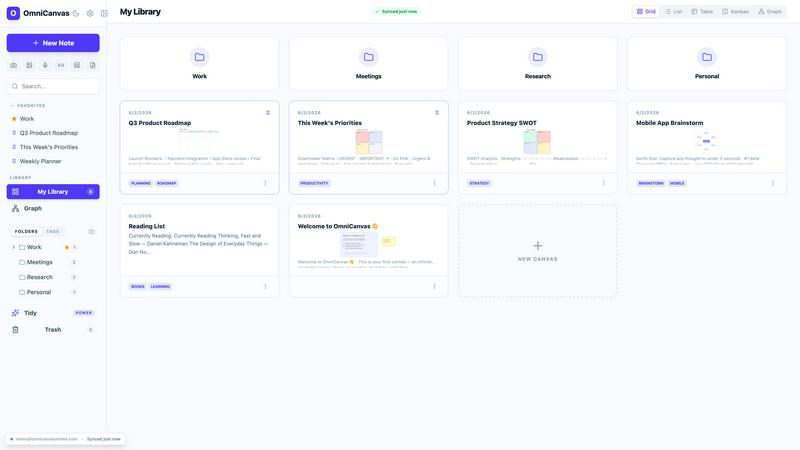
OmniCanvas is an infinite-canvas note-taking app for people who organize information spatially instead of in linear documents and nested folders. Notes, sketches, diagrams, images, and meeting transcripts live on the same zoomable workspace, connected by wiki-links and visualized in a graph view.
The free tier costs $0 and includes unlimited notes and canvases, cloud sync, folders, tags, full-text search, graph view, Kanban view, and optional end-to-end encryption. Pro is $8/month and adds 10 hours of monthly meeting transcription, semantic search, AI actions and custom prompts, handwriting OCR, web and YouTube clipping, and REST API and MCP server access.
OmniCanvas records meetings by capturing microphone and system audio directly - no bot joins your call - and puts the transcript and action items on the canvas beside your notes. OmniCanvas also publishes 40 free browser tools that need no account; the AI ones run locally, so files are never uploaded.
On the web and macOS.
Explore more in this category:
Similar to OmniCanvas

Free collection of online developer utilities, code formatters, and digital converters designed to streamline your daily workflow.

The #1 Native Form Builder Plugin for Framer - No Code, No Embeds, No External Platforms.

Create QR codes instantly for free — no signup, no watermark, no paywall.


Tally Counter is a simple online counting tool for tracking attendance, workouts, inventory, sports scores, and everyday activities.

Create once, tailor for each platform, and schedule posts across 14 social networks from one simple dashboard.

PDFWix is a free online PDF toolkit designed to make everyday PDF tasks simple, fast, and private.

Free online PDF tools to merge, compress, convert, edit, sign, and manage documents—no signup, watermarks, or daily limits.