
Online Keyboard Shortcuts
OnlineShortcuts.com provides a comprehensive, cross-platform reference for essential Windows, macOS, and Linux keyboard shortcuts to boost.
Visit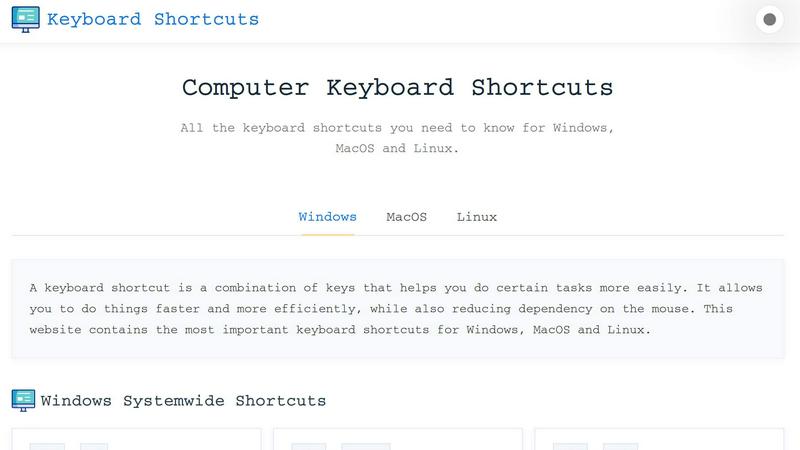
About Online Keyboard Shortcuts
Online Keyboard Shortcuts, available at OnlineShortcuts.com, is a comprehensive, free resource that serves as the definitive guide to keyboard shortcuts across the three major operating systems: Windows, macOS, and Linux. The product is designed to help users of all skill levels, from beginners looking to reduce their reliance on the mouse to power users aiming to optimize their daily workflows. At its core, the platform provides a meticulously curated list of the most important and frequently used keyboard shortcuts, organized by operating system and further categorized by system-wide commands, operating system-specific key combinations, and application-specific shortcuts for tools like Command Prompt, File Explorer, text editors, virtual desktops, and web browsers. The main value proposition of Online Keyboard Shortcuts is its ability to boost user productivity and efficiency by enabling faster task execution. By learning and applying these key combinations, users can perform actions like closing windows, switching between applications, managing files, editing text, and navigating the web with significantly fewer clicks and less hand movement. The website also offers downloadable cheat sheets in PDF and PNG formats, making it easy to keep these essential commands accessible offline. With a clean, responsive design, the platform is usable on any device, and it remains completely free of ads, upsells, or tracking software, ensuring a pure, distraction-free learning experience.
Features of Online Keyboard Shortcuts
Comprehensive Cross-Platform Coverage
The platform provides an exhaustive list of keyboard shortcuts for Windows, macOS, and Linux, all in one centralized location. This eliminates the need for users to search multiple sources or memorize different sets of commands for each operating system they use. The shortcuts are organized by system-wide actions, operating system-specific keys like the Windows key, and application-specific commands, ensuring that users can quickly find the exact combination they need for any task, whether they are managing windows, opening system tools, or controlling virtual desktops.
Application-Specific Shortcut Libraries
Online Keyboard Shortcuts goes beyond general system commands by offering dedicated sections for popular applications. This includes detailed shortcut lists for Command Prompt, File Explorer, text editing functions, virtual desktop management, and web browsers. Each application section covers essential operations such as copying and pasting text in Command Prompt, creating new folders in File Explorer, formatting text with bold and italic commands, managing browser tabs, and navigating between virtual desktops. This depth ensures that users can master the specific tools they use daily.
Downloadable Cheat Sheets
To support offline learning and quick reference, the website provides downloadable versions of the shortcut lists in three convenient formats: a PDF file, a dark-themed PNG image, and a light-themed PNG image. These cheat sheets are perfect for printing and placing near a workstation, saving as a desktop wallpaper, or keeping on a mobile device for on-the-go access. This feature ensures that users are not dependent on an internet connection to access the information, making it a practical tool for continuous productivity improvement.
Responsive and Ad-Free User Experience
The website is designed to be fully responsive, meaning it adapts seamlessly to any screen size, whether on a desktop monitor, a tablet, or a mobile phone. This allows users to browse and learn shortcuts on any device without a compromised experience. Critically, the platform is 100% free and contains no advertisements, upsells, or adtech spyware. This commitment to a clean, distraction-free environment allows users to focus entirely on learning and applying the shortcuts without interruptions or privacy concerns.
Use Cases of Online Keyboard Shortcuts
Boosting Everyday Productivity for Office Workers
Office professionals who spend long hours working with documents, spreadsheets, and email can drastically reduce task completion times by mastering system-wide and text editing shortcuts. Using combinations like Ctrl+C and Ctrl+V for copy-paste, Alt+Tab for quick application switching, and Win+D to show the desktop allows workers to maintain a fluid workflow without constantly reaching for the mouse. This reduces physical strain and mental friction, leading to a more efficient and comfortable workday.
Streamlining File Management for Power Users
Users who frequently manage large volumes of files and folders in File Explorer can leverage application-specific shortcuts to perform operations much faster. Commands like Ctrl+Shift+N to create a new folder, F2 to rename a selected item, and Alt+Enter to view file properties eliminate the need for right-click context menus. This is particularly valuable for developers, designers, and system administrators who need to organize assets, navigate directory structures, and perform bulk actions with speed and precision.
Enhancing Navigation for Web Developers and Researchers
Individuals who spend a significant portion of their day in web browsers can benefit immensely from browser-specific shortcuts. Commands like Ctrl+T to open a new tab, Ctrl+Shift+T to reopen a closed tab, and Ctrl+L to jump to the address bar allow for rapid navigation and multitasking. Researchers can quickly switch between multiple sources, developers can test code changes with Ctrl+R to refresh, and anyone can maintain a clean tab environment by closing tabs with Ctrl+W, all without touching the mouse.
Learning and Teaching Computer Fundamentals for Beginners
New computer users and educators can use Online Keyboard Shortcuts as a structured learning tool. The clear categorization by operating system and application makes it easy for beginners to start with the most fundamental commands, such as opening the Start Menu with the Windows key or switching between apps with Alt+Tab. Instructors can use the downloadable cheat sheets as handouts in classrooms or training sessions, providing students with a tangible reference that accelerates their transition from mouse-dependent navigation to efficient keyboard-driven workflows.
Frequently Asked Questions
What is Computer Keyboard Shortcuts?
Computer Keyboard Shortcuts is a comprehensive guide available at OnlineShortcuts.com that lists the most important keyboard shortcuts for Windows, macOS, and Linux operating systems. It is designed to help users improve their productivity by providing quick and easy access to commonly used commands and hotkeys, covering everything from system-wide actions to application-specific functions for tools like File Explorer, Command Prompt, and web browsers.
How do I use Computer Keyboard Shortcuts?
Using the resource is straightforward. Simply browse the list of shortcuts organized by operating system and find the combination you need. Each shortcut is displayed with the required keys and a clear description of the action it performs. To apply a shortcut, press the indicated keys simultaneously on your keyboard. For example, to open Task Manager on Windows, press and hold the Ctrl, Shift, and Esc keys at the same time.
How accurate are the keyboard shortcuts?
The shortcuts are curated to be as accurate as possible for the specified software versions at the time of publication. However, software updates from Microsoft, Apple, or Linux distributions can sometimes change or deprecate certain hotkeys. It is always good practice to verify a shortcut with the specific version of the operating system or application you are running if you encounter any issues.
Is there a mobile version of the site?
Yes, the website is designed to be fully accessible and responsive. This allows you to view the entire collection of cheat sheets on mobile devices, tablets, and desktops without any loss of functionality or readability. The layout automatically adjusts to fit your screen size, ensuring a smooth browsing experience whether you are at a computer or on the go.
Explore more in this category:
Similar to Online Keyboard Shortcuts

Tally Counter is a simple online counting tool for tracking attendance, workouts, inventory, sports scores, and everyday activities.

Create once, tailor for each platform, and schedule posts across 14 social networks from one simple dashboard.

PDFWix is a free online PDF toolkit designed to make everyday PDF tasks simple, fast, and private.

Free online PDF tools to merge, compress, convert, edit, sign, and manage documents—no signup, watermarks, or daily limits.

Turn plain English into credible LinkedIn writing—or decode jargon into direct language.


Turn videos, images, PDFs, and files into shareable links with fast uploads and privacy-friendly controls.