
Screen Beaver
Create product videos manually or let your AI agent control Screen Beaver through MCP—no mouse or keyboard needed.
Visit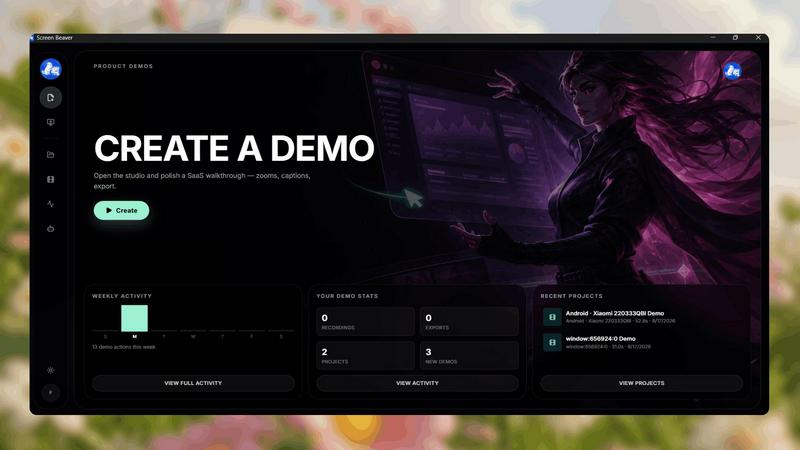
About Screen Beaver
Screen Beaver is a screen recorder built for creating product demos, walkthroughs, tutorials, and showcase videos.
You can use it just like a normal screen recorder: start recording, demonstrate your product, and create your video manually.
But Screen Beaver also works with MCP, allowing AI agents to control the recording workflow. Instead of manually clicking through your product every time you want to create a demo, you can let your AI agent interact with Screen Beaver and automate the recording process.
This makes Screen Beaver useful for developers, founders, and teams who want to create product videos faster and integrate screen recording into automated workflows.
Whether you want complete manual control or want your AI agent to handle the recording, Screen Beaver gives you both options.
Record it yourself. Or let your AI agent do it.
Explore more in this category:
Similar to Screen Beaver

Remove unwanted objects, people, and text from photos with AI for clean, natural-looking results in seconds.

Meet in the Middle — The Group Meetup Planner Find a fair central meeting spot based on real travel time, not just distance

Free browser-based text, code and math tools, from a word counter to a JSON formatter. Everything runs on your device, so your text is never uploaded.

Omi can build anything: apps, websites, business software, games and Chrome extensions. Describe it in one sentence and AI agents build it.

AI employees with a brain that think, remember your business and work 24/7 on their own cloud computers.

Turn photos into AI videos for free with Goshortsai. Sign in daily to get free credits, upload an image, describe motion, and generate your video.

Greatooly is a curated directory of small, useful apps — discover focused tools for art, learning, money, health, travel and everyday life.

96 private Mac tools in one app: compress video, sign PDFs, remove backgrounds, transcribe. Offline, no account, pay once.