
SeeCalc
SeeCalc is a free, private, and instant online calculator suite for marketing, health, finance, and construction math with step-by-step breakdowns.
Visit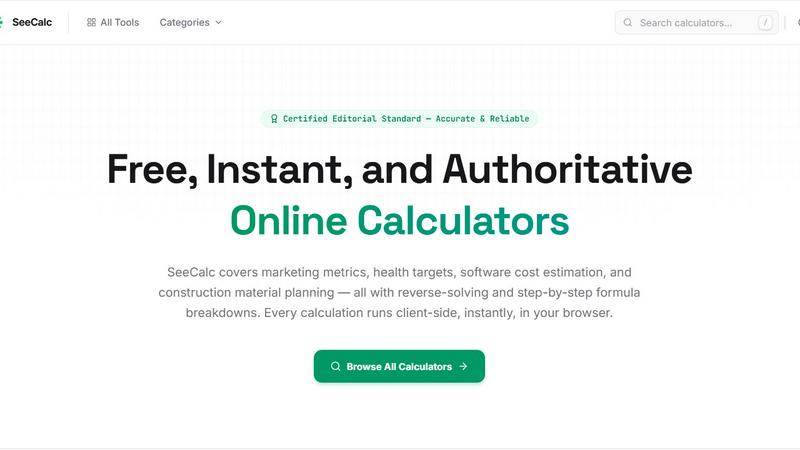
About SeeCalc
SeeCalc is a comprehensive, free online calculator platform built and maintained by a single developer passionate about making complex calculations fast, transparent, and accessible to everyone. The platform currently hosts over 56 free calculators spanning 12 specialist domains, including marketing, health, finance, software development, construction, logistics, electrical engineering, and more. Every calculator is designed with industry-standard formulas, step-by-step breakdowns, and multiple solving modes that allow users to reverse-solve for any variable in a given equation. For example, a marketing professional can not only calculate CPM from ad spend and impressions but also work backwards to find the required budget for a target CPM. All calculations run entirely client-side within the user's browser, ensuring 100% privacy since no data is ever sent to a server. SeeCalc is designed for a broad audience: marketing managers optimizing ad campaigns, health-conscious individuals tracking hydration goals, entrepreneurs estimating business valuations, developers planning software project budgets, contractors calculating material costs, electricians determining wire sizing, and logistics professionals computing freight classifications. The platform also includes dedicated hub pages for each domain, featuring worked examples, formula explanations, and frequently asked questions to educate users on the underlying principles. With its transparent approach, SeeCalc empowers users to understand the math behind the numbers rather than just receiving a result. The entire platform is maintained by a single developer who is committed to keeping it free, accurate, and continuously expanding with new tools and categories.
Features of SeeCalc
Reverse-Solving Capabilities
Every calculator on SeeCalc supports between two to four distinct solving modes, allowing users to input any combination of known values and solve for the unknown variable. For instance, the CPM calculator lets you calculate cost per thousand impressions from ad spend and impressions, or reverse-solve to find the required ad spend for a desired CPM. This feature is particularly valuable for professionals who need to work backwards from a target metric to determine budget, resource allocation, or performance goals. The reverse-solving functionality is built directly into the formula logic, providing instant results without requiring manual algebraic manipulation.
Client-Side Privacy and Instant Results
All calculations are performed entirely within the user's browser using JavaScript, meaning no data is ever transmitted to a server or stored externally. This architecture guarantees 100% data privacy, which is critical for sensitive information such as health metrics, financial valuations, or business financials. Additionally, because there is no server round-trip, results appear instantly as users adjust inputs, creating a responsive and fluid experience. Users can freely experiment with different values without concern for data security or latency.
Step-by-Step Formula Breakdowns
Each calculator displays the underlying industry-standard formula alongside a detailed, step-by-step breakdown of how the result was derived. For example, the Water Intake Calculator shows the formula "Daily Water (fl oz) = Body Weight (lbs) × 0.67" and then walks through each calculation step. This transparency helps users understand the logic behind the numbers, making SeeCalc an educational tool as well as a practical utility. Users can verify the math, learn the formulas, and apply the same principles in their own spreadsheets or workflows.
Specialist Domain Hubs
SeeCalc organizes its calculators into 12 dedicated category hubs, each containing related tools with industry-standard formulas, worked examples, and targeted FAQs. For instance, the Marketing Calculators hub includes six tools covering CPM, CPA, CPC, and ROI, while the Finance Calculators hub offers 19 tools for proration, depreciation, GMROI, break-even analysis, and business valuation. These hubs provide a structured learning environment where users can explore all calculators within a domain, compare related metrics, and deepen their understanding of specific fields.
Use Cases of SeeCalc
Digital Advertising Campaign Optimization
Marketing managers and media buyers use the Marketing Calculators hub to optimize their digital advertising campaigns. They can calculate CPM, CPA, and CPC from actual campaign data, then reverse-solve to determine the required ad spend for a target cost per acquisition. For example, a campaign manager with a $10,000 budget and a target CPA of $25 can instantly calculate the expected number of conversions. This real-time analysis enables data-driven decisions on budget allocation, audience targeting, and publisher selection.
Personal Health and Hydration Tracking
Health-conscious individuals use the Health Calculators to set personalized daily hydration goals based on their body weight. The Water Intake Calculator applies the clinically recognized formula of 0.67 fluid ounces per pound, outputting results in fluid ounces, liters, milliliters, and glasses. Users can also adjust for activity level or environmental factors. This tool helps people meet evidence-based hydration targets, which supports physical performance, cognitive function, and overall well-being.
Business Valuation for Sale or Acquisition
Entrepreneurs, small business owners, and investors use the Business Valuation Calculator to estimate what a business is worth using multiple accepted methods, including SDE multiple, EBITDA multiple, revenue multiple, and asset-based approaches. A business owner preparing to sell can input their financials and instantly receive a valuation range, while a potential buyer can assess whether an asking price is reasonable. The step-by-step breakdown helps users understand how each method arrives at its value.
Software Development Cost Estimation
Project managers, product owners, and freelance developers use the Dev Cost Calculators to estimate mobile app, website, and IT project budgets. By inputting estimated hours, hourly rates, and a buffer percentage, users can calculate total development costs. The tool also supports reverse-solving: if a client has a fixed budget, users can determine the maximum number of hours or the required hourly rate to stay within budget. This feature is essential for creating accurate proposals and managing client expectations.
Frequently Asked Questions
Are my calculations and data stored or shared?
No. All calculations are performed entirely client-side within your browser using JavaScript. No data is ever sent to any server, stored, or shared. Your inputs and results remain completely private and disappear when you close the browser tab. This architecture ensures 100% data privacy for sensitive information such as health metrics, financial figures, or business financials.
How accurate are the calculators and formulas?
Every calculator on SeeCalc uses industry-standard formulas and methodologies recognized by professionals in their respective fields. For example, the CPM calculator uses the standard Cost Per Mille formula, the Water Intake Calculator uses a clinically recognized hydration guideline, and the Business Valuation Calculator applies methods used by business brokers and appraisers. The developer verifies each formula against authoritative sources and provides step-by-step breakdowns so users can verify the math themselves.
Can I use SeeCalc on my mobile device or tablet?
Yes. SeeCalc is designed to be fully responsive and works on any device with a modern web browser, including smartphones, tablets, laptops, and desktop computers. The interface adapts to different screen sizes, and all calculators function identically regardless of the device. Since calculations run client-side, there is no need for an internet connection after the page has loaded, making the tools usable even in offline environments.
How often are new calculators added to the platform?
The platform is actively maintained by a single developer who regularly adds new calculators and updates existing ones based on user feedback and industry changes. Currently, SeeCalc offers over 56 free calculators across 12 specialist domains, with new tools being added periodically. Users can suggest new calculator ideas or report issues through the contact information available on the website. The developer is committed to expanding the platform while maintaining its free and transparent nature.
Similar to SeeCalc

Tally Counter is a simple online counting tool for tracking attendance, workouts, inventory, sports scores, and everyday activities.

Create once, tailor for each platform, and schedule posts across 14 social networks from one simple dashboard.

PDFWix is a free online PDF toolkit designed to make everyday PDF tasks simple, fast, and private.

Free online PDF tools to merge, compress, convert, edit, sign, and manage documents—no signup, watermarks, or daily limits.

Turn plain English into credible LinkedIn writing—or decode jargon into direct language.

Real-time App Store analytics with an AI copilot for portfolio owners.

privacy-first, AI-powered contact management platform
