
Veo 4 video generator
Veo 4 transforms text and images into stunning, studio-quality videos in seconds, streamlining your creative process effortlessly.
Visit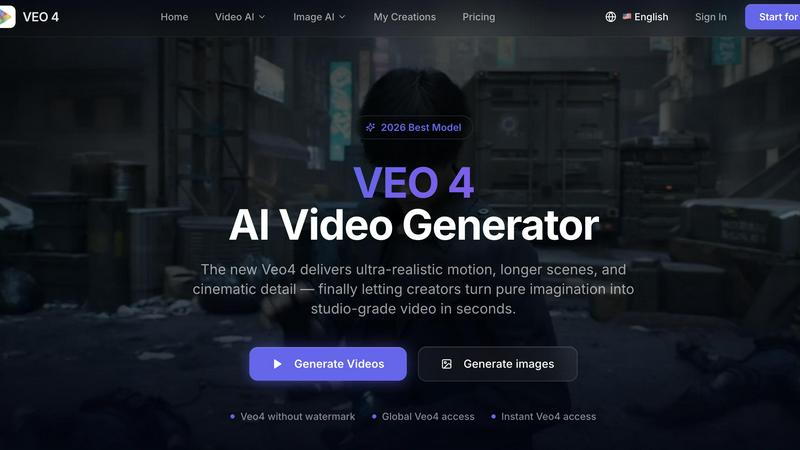
About Veo 4 video generator
Veo 4 is a state-of-the-art AI video generator that empowers creators, marketers, and brands to convert their ideas into high-quality video content within seconds. Unlike other AI video tools that often deliver inconsistent or low-quality outputs, Veo 4 excels in producing ultra-realistic motion, extended scenes, and cinematic detail that are suitable for professional use. The platform offers three primary creation paths: text to video, image to video, and video to video. This versatility allows users to start with a simple text prompt, a static image, or an existing video clip, and transform it into polished, ready-to-export footage. Designed with speed and clarity in mind, Veo 4 is an essential tool for marketing and creative teams that need to generate first drafts rapidly, test variations, and bridge the gap between concept and final media. Whether launching new products, creating paid social ads, or engaging in branded storytelling, Veo 4 delivers smoother motion, precise framing, and intentional scenes. With no watermarks on outputs and global access, it stands as a practical, production-ready solution for anyone seeking to enhance their video content workflow.
Features of Veo 4 video generator
Text to Video
The text to video feature allows users to input a written prompt and generate a video that aligns with their ideas. This functionality is particularly useful for quickly visualizing concepts and creating content that resonates with audiences, making brainstorming sessions more effective.
Image to Video
With the image to video capability, users can upload a still image and animate it into a dynamic video. This feature enables creators to breathe life into existing visuals, enhancing marketing materials or social media posts with engaging movement while maintaining brand aesthetics.
Video to Video
The video to video function lets teams take existing footage and rework it for improved pacing, motion, or visual appeal. This is invaluable for projects requiring iteration, allowing for the enhancement of rough cuts without starting from scratch, thus saving time and resources.
Clean Exports
Veo 4 provides clean exports that facilitate seamless integration into editing workflows and marketing platforms. This feature is essential for professionals who need to move quickly from video generation to publication, ensuring that the final product meets high-quality standards.
Use Cases of Veo 4 video generator
Product Launches
Veo 4 is ideal for creating promotional videos for product launches, helping teams generate engaging content that captures the essence of the product and attracts potential customers quickly.
Social Media Campaigns
Marketers can utilize Veo 4 to produce eye-catching social media videos that stand out in users' feeds. The tool's ability to deliver polished clips rapidly allows for agile campaign adjustments based on audience engagement.
Branded Storytelling
With Veo 4, brands can craft compelling narratives through video content that resonates with their target audience. This use case enhances brand storytelling by providing a visually rich medium to communicate messages effectively.
Short-Form Content
Veo 4 is particularly well-suited for creating short-form videos such as ads and teasers. The ability to generate high-quality content quickly enables teams to test different concepts and refine their approach based on real-time feedback.
Frequently Asked Questions
What types of input does Veo 4 support?
Veo 4 supports three types of input: text prompts, still images, and existing video clips. This flexibility allows users to choose the starting point that best suits their project needs.
Can I use Veo 4 for professional marketing projects?
Yes, Veo 4 is designed specifically for marketers and creative professionals. Its features focus on delivering high-quality, export-ready videos that can be used in various marketing campaigns and projects.
Is there a watermark on the generated videos?
No, Veo 4 outputs videos without watermarks, allowing users to utilize the content freely for their marketing and branding needs.
How fast can I create videos with Veo 4?
Veo 4 is built for speed, enabling users to generate videos in a matter of seconds. This quick turnaround is essential for teams that need to produce multiple variations or first drafts rapidly.
Similar to Veo 4 video generator

Upload any photo and get your own Bulin 47 AI Freestyle video

Try MiniMax Hailuo H3 video generation in the browser

AIPetGen turns a photo of your dog, cat, or other pet, or a written description, into a new picture or a short animation.

Turn an image into an AI video in seconds. Free to generate, no sign-up. Upload any photo and choose from anime, realistic & cinematic styles.

A Mac app that turns your App Store link into a week of Instagram Reels and carousels, written from your real reviews.


