
ytskim
ytskim transcribes and summarizes YouTube videos, helping you quickly capture key insights from any video content.
Visit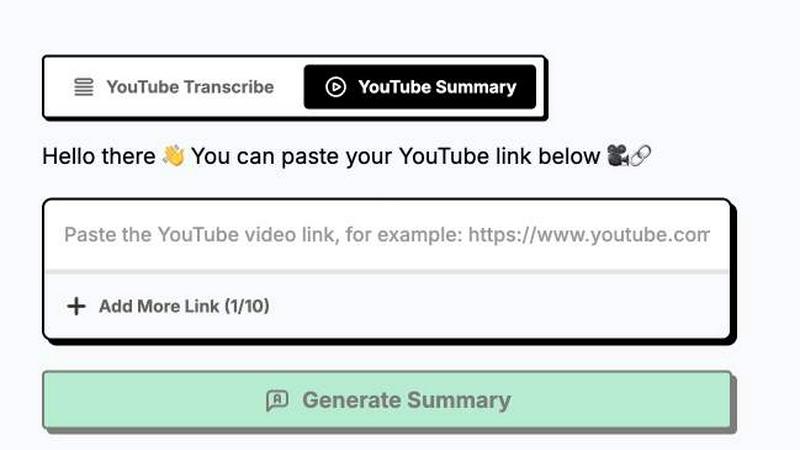
About ytskim
ytskim is a powerful AI-driven tool designed to extract accurate transcripts and generate structured summaries from any YouTube video in seconds. The product addresses a common pain point for professionals, students, researchers, and content creators who need to quickly digest video content without watching entire lengthy recordings. By leveraging advanced speech recognition and natural language processing technologies, ytskim transforms spoken content into clean, readable text and concise summaries. The core value proposition lies in its speed and accuracy, allowing users to bypass the time-consuming process of manually transcribing or rewatching videos. Instead, they can instantly obtain a written record and a structured overview of key points. This makes ytskim an essential productivity tool for anyone who regularly consumes educational, instructional, or informational video content on YouTube. Whether you are a student researching for a paper, a journalist fact-checking an interview, a developer learning from a tutorial, or a marketer analyzing competitor content, ytskim streamlines the workflow by converting video into actionable text. The tool is built for simplicity and efficiency, requiring only a video URL to deliver results. It eliminates the friction of manual note-taking and ensures that no critical information is missed. With ytskim, users can focus on understanding and applying knowledge rather than struggling with transcription and summarization tasks. The product is designed for both casual users needing quick notes and power users requiring detailed, structured outputs for documentation or analysis.
Features of ytskim
Instant Transcript Generation
ytskim provides lightning-fast transcript extraction from any public YouTube video. Within seconds of pasting the video URL, the tool processes the audio track using advanced speech-to-text algorithms to produce a highly accurate, time-stamped transcript. This feature eliminates the need to manually pause, rewind, and type out spoken words, saving hours of tedious work. The transcript is delivered in a clean, readable format that can be easily copied, exported, or searched. This is especially valuable for long-form content like lectures, podcasts, or webinars where manual transcription is impractical. Users can rely on ytskim to capture every word with precision, including technical jargon and multiple speakers, ensuring a reliable text record for reference, quoting, or accessibility purposes.
Structured Summary Generation
Beyond simple transcription, ytskim offers intelligent summarization that distills video content into structured, easy-to-digest overviews. The AI analyzes the full transcript to identify key themes, main arguments, and critical data points, then organizes them into a coherent summary with clear headings and bullet points. This feature is ideal for users who need to grasp the essence of a video quickly without watching it entirely. The structured format enhances comprehension and retention, making it simple to review later or share with colleagues. Unlike basic summarizers that produce a single paragraph, ytskim creates a logical outline that mirrors the video's flow, allowing users to pinpoint specific sections of interest. This transforms lengthy video content into actionable insights for research, decision-making, or content repurposing.
High Accuracy and Language Support
ytskim utilizes state-of-the-art AI models trained on vast datasets to achieve exceptional transcription accuracy, even in noisy audio environments or with accented speech. The tool supports multiple languages, enabling users to transcribe and summarize videos from around the world. This global capability is crucial for international teams, language learners, and researchers accessing content in non-native languages. The accuracy extends to domain-specific terminology, ensuring that technical terms in fields like medicine, law, or programming are correctly captured. Users can trust the output for professional use, such as creating meeting minutes, generating subtitles, or building knowledge bases. The multilingual support breaks down language barriers, making YouTube's vast library of educational and informational content more accessible.
Simple User Interface and Fast Processing
ytskim is designed with a focus on user experience, featuring a clean and intuitive interface that requires no technical expertise. The workflow is straightforward: paste a YouTube URL, click a button, and receive the transcript and summary within seconds. There is no need for complex settings, account registration, or software installation. The processing speed is optimized to handle videos of varying lengths, from short clips to multi-hour recordings, without significant delays. This efficiency is critical for users who need rapid access to information, such as journalists on deadline or students preparing for exams. The tool also provides options to copy, download, or share the results directly, integrating seamlessly into existing workflows. The minimal friction ensures that users can focus on their core tasks rather than wrestling with the tool itself.
Use Cases of ytskim
Academic Research and Study
Students and researchers can use ytskim to quickly transcribe and summarize educational YouTube videos, lectures, and documentary content. Instead of spending hours watching and taking notes, they can obtain a complete text record and a structured overview of key concepts. This accelerates literature reviews, helps in preparing for exams, and facilitates the extraction of citations. For example, a student studying a complex scientific lecture can use the summary to identify the main hypotheses and results, then refer to the full transcript for specific details. This dramatically improves study efficiency and ensures no critical information is overlooked.
Content Creation and Repurposing
Content creators, bloggers, and social media managers can leverage ytskim to repurpose YouTube video content into written formats. A transcript can be used to create blog posts, articles, show notes, or social media captions without manually rewatching the video. The structured summary provides a ready-made outline for new content, saving significant time in the production pipeline. For instance, a podcaster can transcribe an episode and use the summary to generate promotional snippets or a detailed blog post, expanding the reach of their audio content to readers who prefer text.
Professional Development and Training
Professionals in fields like software development, marketing, or finance can use ytskim to digest training videos, webinars, and conference talks more efficiently. Instead of dedicating hours to watching full sessions, they can review the structured summary to decide which parts are most relevant, then dive into the transcript for deeper understanding. This is particularly useful for staying current with industry trends and learning new skills. For example, a developer can quickly summarize a tutorial on a new programming framework, extracting the key steps and code examples without watching the entire video.
Accessibility and Language Learning
ytskim serves as an accessibility tool for individuals who are deaf or hard of hearing, providing accurate text versions of YouTube video audio. It also aids language learners by offering transcripts in multiple languages, allowing them to read along with spoken content to improve comprehension and vocabulary. The structured summary can highlight key phrases and concepts, making it easier to learn and retain new information. For example, a non-native English speaker can use the transcript to follow a fast-paced lecture, pausing to look up unfamiliar words, while the summary provides a quick review of the main ideas.
Frequently Asked Questions
How does ytskim handle long or complex videos?
ytskim is optimized to process videos of any length, from short clips to multi-hour recordings. The AI model handles complex audio with multiple speakers, background noise, and technical jargon effectively. For very long videos, processing may take slightly longer but still completes within seconds to a few minutes depending on the duration. The tool segments the transcript with timestamps, making it easy to navigate. The summary algorithm intelligently prioritizes key information, ensuring that even dense content is distilled into a clear, structured format.
Is the transcript and summary data stored or shared?
ytskim prioritizes user privacy. Transcripts and summaries are generated on-demand and are not permanently stored on the servers unless the user explicitly saves or exports them. The tool does not share your data with third parties. Once you close the session or navigate away, the generated content is cleared from the temporary processing memory. Users are encouraged to download or copy their results immediately if they wish to keep them. This approach ensures that sensitive or proprietary video content remains confidential.
Can ytskim transcribe videos in languages other than English?
Yes, ytskim supports a wide range of languages for both transcription and summarization. The AI models are trained on multilingual datasets, allowing them to accurately process content in major languages such as Spanish, French, German, Chinese, Japanese, and many more. Users can simply paste the YouTube URL, and the tool automatically detects the language. The summary is also generated in the same language as the video. This makes ytskim a valuable resource for international users and those accessing global content.
What is the maximum video length ytskim can handle?
ytskim does not impose a strict maximum video length limit. It is designed to handle standard YouTube videos, including full-length lectures, documentaries, and long-form podcasts. However, extremely long videos (e.g., over 8 hours) may require additional processing time. The tool provides progress feedback during processing. For optimal performance, videos under 4 hours are processed almost instantly. Users with exceptionally long content can expect results within a few minutes. There are no restrictions on the number of videos processed per day.
Explore more in this category:
Similar to ytskim

Apps and files on an infinite canvas where people and AI agents work together.

ROIpad turns positioning into a data-driven science. Track competitor moves and live market signals to find exact high-converting messaging gaps.

All-in-one POS, inventory, accounting and HR software for Bangladeshi SMEs — real-time sales, stock and finance in one place.

AI meeting notes, transcripts, summaries and action items on iPhone, iPad and Android.

ButterShare is a browser-based peer-to-peer file transfer tool that lets you send large files and folders directly between devices without signup or c

Free light screen tool online. Turn any display into a flashlight, ambient light, or solid-color screen. No download or sign-up.

AI Email Filter sorts incoming mail into folders using plain-language prompts you write. Works with any IMAP mailbox; bring your own LLM if you want.

LeadsReddit helps founders, marketers, and sales teams find people on Reddit who are actively looking for what they sell. Instead of scrolling through