

Alternatives to CodeToPDF
CodeToPDF offers free, instant developer tools for converting code to PDF, formatting JSON, and more with no sign-ups or limits.
Explore 20 alternatives to CodeToPDF. Compare features, pricing, and find the best fit for your needs.



JevModel
Run the Jev decision model in your browser: 3 live runs without signup, then 100,000 free tokens, plus a Jev API.
JoMatter
Jomatter provides free online tools for HTML, CSS, and JavaScript developers, helping simplify common web development and coding tasks.

24IDChat
Private, anonymous messaging with zero signups or phone numbers. Features client-side ECDH & AES-256-GCM encryption, 24-hour auto-expiring IDs.

ogimagegenerator.dev
Paste a URL and AI designs on-brand Open Graph images from your page's colours, fonts and logo. Free, no sign-up.

Vim.is
Vim.is is a simple online tool that helps you learn and practice Vim keyboard shortcuts quickly.

Ecommerce Data API
Amazon research data APIs for developers, sellers and AI agents. Integrate product, keyword and market research through REST APIs and MCP.
ButterShare
ButterShare is a browser-based peer-to-peer file transfer tool that lets you send large files and folders directly between devices without signup or c


stackledge
A human-curated directory for builders. Skip bot-scraped spam and discover verified SaaS apps, practical AI tools, and custom n8n workflows.

Product Launch Checklist
A free launch checklist for SaaS, apps, AI tools and more. Every step says why it matters and when you can skip it.

Screen Issues
Free online screen test — diagnose dead pixels, lines, color issues & flicker. No download.
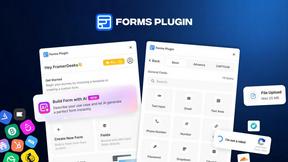
Forms Plugin
The #1 Native Form Builder Plugin for Framer - No Code, No Embeds, No External Platforms.

Chatit Me - Free Random Chat Alternative
Chat with random strangers online for free on ChatIt.me. Enjoy safe, anonymous, and instant 1-on-1 conversations with people worldwide

About CodeToPDF Alternatives
CodeToPDF is a comprehensive suite of free, instant web utilities designed specifically for software engineers, data analysts, and technical professionals. It falls under the category of developer tools, offering a clean, distraction-free environment for tasks such as converting code to PDF, formatting JSON and XML, validating syntax, and encoding or decoding data strings. While CodeToPDF excels at providing zero-friction access with no sign-ups, paywalls, or usage limits, users commonly look for alternatives for several reasons. These include the need for desktop-based applications for offline work, advanced customization options like specific PDF layouts or batch processing, integration with existing development environments or CI/CD pipelines, or support for additional file formats and programming languages not covered by the current toolset. When choosing an alternative to CodeToPDF, it is important to evaluate several key factors to ensure the tool meets your specific workflow requirements. First, consider the privacy and security model; look for tools that process data locally in your browser or offer clear data handling policies if they use cloud servers. Second, assess the feature set for completeness, ensuring the alternative supports the exact formats you need, such as specific syntax highlighting for rare languages or advanced PDF styling options. Third, examine the user interface for ease of use, particularly if you require batch processing or automated workflows. Finally, verify that the alternative maintains the zero-friction philosophy you appreciate, avoiding hidden costs, mandatory account creation, or intrusive advertisements that can disrupt productivity.
FAQs about CodeToPDF Alternatives
What is CodeToPDF?
CodeToPDF is a comprehensive suite of free, instant web utilities designed for software engineers, data analysts, and technical professionals. It provides tools for converting code to PDF, formatting and validating JSON and XML, and encoding or decoding Base64 strings, URL strings, and JWT tokens. The platform was built to offer a clean, distraction-free environment without paywalls or complex interfaces.
Who is CodeToPDF for?
CodeToPDF is specifically designed for software engineers, data analysts, and technical professionals who need quick, reliable developer tools. It is ideal for anyone who frequently works with code snippets, data payloads, or documentation and requires instant formatting, validation, or PDF generation. The tool is particularly useful for those who want to avoid signing up for accounts or dealing with usage limits.
Is CodeToPDF free?
Yes, CodeToPDF is completely free to use with zero sign-ups, no paywalls, and no usage limits. All tools react instantly as you type, and you do not need to click a submit button to get results. There are no hidden costs or premium tiers required to access any of the features.
What are the main features of CodeToPDF?
CodeToPDF offers several key features including PDF generation for raw code, HTML, and Markdown with syntax highlighting and custom CSS support. It also provides instant JSON and XML formatters and validators that pinpoint syntax errors down to the exact line and column. Additionally, it includes encoders and decoders for Base64 strings, URL strings, and JWT token inspection.