

Alternatives to NanoScene AI
NanoScene AI is an all-in-one image workspace for generating, editing, upscaling to 8K, and exporting visuals with no install required.
Explore 20 alternatives to NanoScene AI. Compare features, pricing, and find the best fit for your needs.
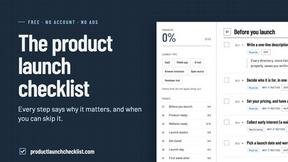
Product Launch Checklist
A free launch checklist for SaaS, apps, AI tools and more. Every step says why it matters and when you can skip it.
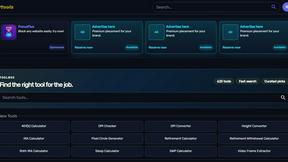
Kody Tools
Free collection of online developer utilities, code formatters, and digital converters designed to streamline your daily workflow.
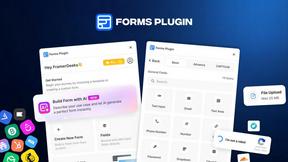
Forms Plugin
The #1 Native Form Builder Plugin for Framer - No Code, No Embeds, No External Platforms.
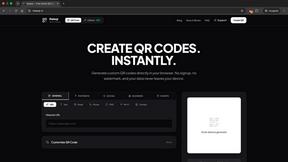

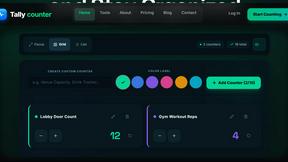
tallycounterweb.com
Tally Counter is a simple online counting tool for tracking attendance, workouts, inventory, sports scores, and everyday activities.

iHatePosting
Create once, tailor for each platform, and schedule posts across 14 social networks from one simple dashboard.
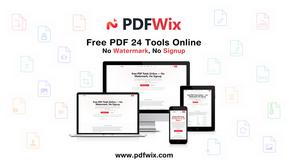
PDFWix
PDFWix is a free online PDF toolkit designed to make everyday PDF tasks simple, fast, and private.
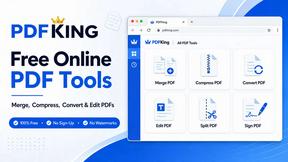
PDFKing
Free online PDF tools to merge, compress, convert, edit, sign, and manage documents—no signup, watermarks, or daily limits.
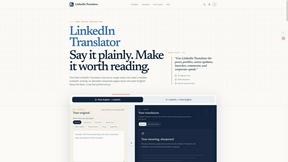
LinkedIn Translator
Turn plain English into credible LinkedIn writing—or decode jargon into direct language.



Video2URL
Turn videos, images, PDFs, and files into shareable links with fast uploads and privacy-friendly controls.

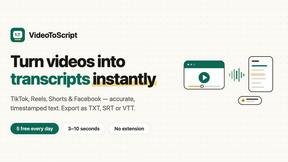
VideoToScript
Turn TikTok, Reels, Shorts, Facebook videos, audio, and video into accurate timestamped transcripts with TXT, SRT, and VTT exports.
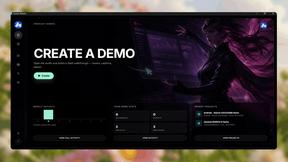
Screen Beaver
Create product videos manually or let your AI agent control Screen Beaver through MCP—no mouse or keyboard needed.
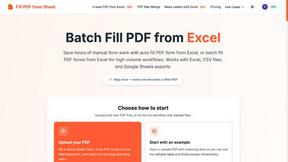
Fill PDF from Sheet
Fill PDF from Sheet automates the process of populating PDF forms from data in Excel, CSV, or Google Sheets.


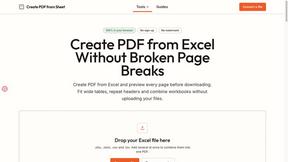
Create PDF from Excel
Create PDF from Excel online and preview every page before downloading. Fit wide sheets, repeat headers, and combine workbooks privately.
About NanoScene AI Alternatives
NanoScene AI is an all-in-one AI image workspace designed for creators who need to move quickly from concept to finished visual asset. It fits into the productivity and management category by streamlining the entire image generation workflow, from text-to-image prompting and reference-guided creation to high-resolution upscaling, background removal, and in-browser editing — all without requiring a local install or a dedicated GPU. Users commonly look for alternatives to NanoScene AI when they need a different pricing model, such as a flat subscription instead of credit-based usage, or when they require deeper integration with existing design tools like Photoshop or Figma. Others may seek alternatives if they need more advanced control over model parameters, a larger library of pre-trained styles, or a platform that supports team collaboration and shared asset libraries out of the box. When evaluating alternatives to NanoScene AI, it is important to consider the specific balance of speed, fidelity, and cost that fits your workflow. Look for tools that offer transparent pricing with a free tier or trial so you can test performance before committing. Consider whether the alternative provides native upscaling capabilities, background removal, and character consistency features, as these are critical for producing polished, campaign-ready visuals. Also assess the ease of use — a steep learning curve or complex setup can negate the time savings that AI image generation promises. Finally, verify that the platform supports the aspect ratios and export formats you commonly need, and that it runs reliably on your preferred browser or operating system.
FAQs about NanoScene AI Alternatives
What is NanoScene AI?
NanoScene AI is an all-in-one AI image workspace that goes beyond a simple prompt box to provide a complete creative workflow from concept to export. It enables text-to-image generation, reference-image guided creation, upscaling to 8K, background removal, and in-browser editing — all without requiring a local install or a dedicated GPU. The platform is designed to sit between expensive design suites and bare-bones API playgrounds, offering production-oriented features at an accessible price point.
Who is NanoScene AI for?
NanoScene AI is ideal for content creators, growth marketers, indie SaaS founders, and anyone who needs good-enough visuals quickly and then wants to polish the best ones to a high standard. It is particularly well-suited for professionals who require fast, iterative image generation and refinement without the overhead of enterprise software or developer-level API integration. The tool is built for users who value speed, ease of use, and a complete browser-based workflow.
Is NanoScene AI free?
Yes, NanoScene AI offers a free tier that allows users to start generating images without any upfront payment or credit card. The platform uses a credit-based pricing model, meaning you can use a limited number of credits for free and then purchase additional credits as needed. This structure makes it easy to try the service risk-free and scale usage according to your project demands.
What are the main features of NanoScene AI?
NanoScene AI includes text-to-image generation using the Nano Banana 2 Lite model with approximately four-second latency, reference-image guided creation using up to four images, and support for 14 aspect ratios from square to ultrawide. For refinement, it offers K-level upscaling to 4K and 8K, one-click background removal, in-browser editing, and character consistency across scenes and campaigns. The platform also provides a personal asset library with download support and works on any modern browser without requiring API keys or local installation.