

Alternatives to PixUnblur
PixUnblur uses AI to sharpen blurry photos by restoring detail, reducing noise, and fixing camera shake or focus issues.
Explore 20 alternatives to PixUnblur. Compare features, pricing, and find the best fit for your needs.
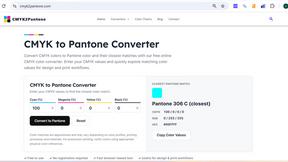
cmyk2pantone
CMYK2Pantone.com makes color conversion simple with free CMYK, RGB, HEX, and Pantone matching tools for designers and printing professionals.
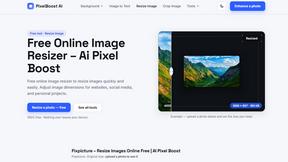
AI Pixel Boost
Resize image online for free with AI Pixel Boost. Easily adjust image dimensions for websites, social media, profile pictures, and more.
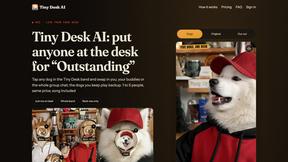
Tiny Desk AI
Put yourself or your friends in the viral Outstanding Tiny Desk video. Swap any of the 5 band members, song included. $9.98 for 1 to 5 people.
JevModel
Run the Jev decision model in your browser: 3 live runs without signup, then 100,000 free tokens, plus a Jev API.
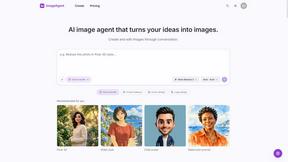
ImageGenerator
Create and edit AI images online with multiple models, text-to-image, image-to-image, background removal, and upscaling.

AI Clothes Changer
Free AI clothes changer online. Swap outfits and try on clothes from a photo in minutes — create a free account to start, no card required.
Dreamina AI
Make any images possible — generate, edit, and transform images with AI models like GPT Image and Gemini in seconds.
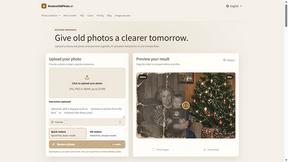
RestoreOldPhoto
RestoreOldPhoto.ai repairs old, faded photos with AI: remove scratches, sharpen blurry faces, colorize black-and-white pictures in seconds.
Free GPT Image 2.5, Gemini, Nano Banana
Free GPT Image 2.5, Gemini, Nano Banana & Seedance 2.5 Prompts
GenX
All-in-one AI workspace to generate images, videos, and audio with multiple leading AI models.
AppIconGenerator
Generate iOS and Android app icons from any image and export all platform sizes for free.
AiAgeFilter
Free AI age filter: upload an adult portrait, add 10-40 years, meet your older self. No app needed.

AI Rap Video Maker
Turn a photo into a rap performance — a silent stage clip or an original 10–15s rap video with your own lyrics, beat style and voice direction.
Dola AI
Create AI videos from text or images with Dola AI. Free signup credits, pick a video model and download your clips. Image generation included.
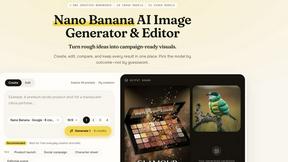
Nano AI
Create and edit AI images, generate videos, and compare models in one creative workbench.

ogimagegenerator.dev
Paste a URL and AI designs on-brand Open Graph images from your page's colours, fonts and logo. Free, no sign-up.

FreeVideoGenerator
Free AI video generator: turn text and photos into clips with Sora 2, Veo 3.1 and Wan. No watermark.
About PixUnblur Alternatives
PixUnblur is an AI-powered photo enhancer and sharpener designed to restore detail and clarity to blurry images, making it a valuable tool within the broader categories of Image Generation, Image & Photo editing, Design Tools, and AI Assistants. While its core functionality is highly effective for specific deblurring tasks, users often look for alternatives due to a variety of practical needs. These can include a desire for a different pricing model, such as a one-time purchase versus a subscription, the need for a more comprehensive editing suite that includes features like background removal or color correction, or platform compatibility requirements like dedicated mobile apps or offline desktop software. When evaluating an alternative to PixUnblur, it is important to assess the specific type of blur you are dealing with, as some tools specialize in motion blur while others excel at fixing out-of-focus images. You should also consider the quality of the AI upscaling and sharpening, the availability of batch processing for multiple images, and the overall user interface and workflow integration. Privacy is another critical factor, particularly for users handling sensitive or personal photographs, so reviewing the tool's data handling and server-side processing policies is essential. Ultimately, the best alternative will balance restoration quality, feature set, and cost against your specific use case, whether that is professional photography, e-commerce product images, or personal photo restoration.
FAQs about PixUnblur Alternatives
What is PixUnblur?
PixUnblur is an AI-powered photo enhancer and sharpener that specializes in restoring detail and clarity to blurry images. It is an online tool designed to correct various types of blur, including motion blur and out-of-focus images, by leveraging artificial intelligence algorithms. This places it within the categories of Image & Photo editing, Design Tools, and AI Assistants for creative professionals.
Who is PixUnblur for?
PixUnblur is designed for a wide range of users including photographers, graphic designers, e-commerce sellers, and social media content creators who need to salvage blurry or low-quality images. It is also ideal for individuals looking to restore clarity to old or personal photographs. The tool is built to be accessible for both professionals who require high-quality outputs and casual users seeking a quick fix for their images.
Is PixUnblur free?
Based on the provided product description, PixUnblur is an online service, but specific pricing details such as whether it offers a free tier are not explicitly stated. Users should expect it to operate on a freemium model or a subscription basis, typical for AI-powered enhancement tools. To determine the exact cost and any free usage limits, it is best to consult the official PixUnblur website directly.
What are the main features of PixUnblur?
The core features of PixUnblur focus on AI-driven image restoration, specifically the ability to sharpen blurry images and restore lost detail and clarity. It functions as an online tool, meaning no software download is required for basic use. The product is categorized as an AI Assistant for design, indicating that its primary feature is automated, intelligent enhancement rather than manual editing tools.