
PixUnblur
PixUnblur uses AI to sharpen blurry photos by restoring detail, reducing noise, and fixing camera shake or focus issues.
VisitPublished on:
June 10, 2026
Pricing:
About PixUnblur
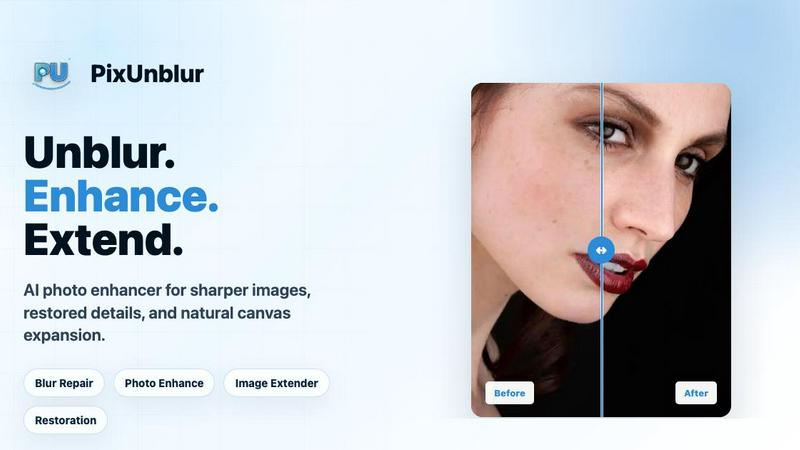
PixUnblur is an AI-powered online photo enhancement and sharpening tool designed to restore detail and clarity to blurry images. It addresses a common frustration for photographers, content creators, ecommerce sellers, and everyday users: photos that are soft, out of focus, or degraded by compression. The product uses advanced artificial intelligence to analyze blurred areas, detect soft edges, identify noise patterns, and recover lost detail without requiring any manual adjustments or technical expertise from the user. Unlike traditional sharpening filters that often introduce artifacts like halos, plastic skin textures, or unnatural HDR effects, PixUnblur focuses on producing natural-looking results that preserve the original subject, framing, colors, and overall feel of the image. The tool is entirely web-based, meaning no software installation is required, and it supports common image formats including JPG, PNG, and WebP. PixUnblur caters to a wide audience, from individuals fixing personal photos for social media to professionals restoring product images for ecommerce catalogs. Its value proposition centers on simplicity, speed, and quality: users upload a blurry photo, the AI processes it in seconds, and they download a clearer, more usable image. The platform also offers batch processing capabilities for users who need to enhance multiple images efficiently, making it a practical solution for both occasional and high-volume use. PixUnblur positions itself as an accessible, reliable tool for turning previously unusable blurry photos into clear, shareable, and printable assets.
Features of PixUnblur
AI-Powered Blur Detection and Repair
The core feature of PixUnblur is its intelligent analysis system that automatically identifies different types of blur in an image. Whether the photo suffers from camera shake, missed focus, compression artifacts, or low-resolution softness, the AI examines subject contours, blurred edges, noise patterns, and degraded textures. It then applies a targeted combination of sharpening, denoising, and detail restoration to recover clarity while maintaining a natural appearance. This eliminates the need for users to diagnose the specific type of blur or adjust complex settings manually.
One-Click Clarity Restoration
PixUnblur simplifies the entire enhancement process into a single action. Users do not need to learn photo editing software, adjust sliders, or apply multiple filters. After uploading an image, the AI processes it autonomously and delivers a clearer result with just one click. This feature is particularly valuable for non-technical users who want professional-quality results without investing time in learning editing techniques. The one-click workflow ensures consistency and speed, making it ideal for batch processing or quick fixes.
Natural Preservation of Original Image Quality
A key differentiator for PixUnblur is its commitment to keeping the repaired image looking natural. The AI controls for common sharpening artifacts such as edge halos, plastic-looking skin, and fake HDR effects. Instead, it focuses on improving clarity and readability while preserving the original subject, framing, colors, and overall aesthetic. This ensures that enhanced images remain suitable for publishing, printing, or long-term storage without appearing over-processed or artificial.
Support for Multiple Image Formats and Batch Processing
PixUnblur supports widely used image formats including JPG, PNG, and WebP, making it compatible with most digital photos. Additionally, the platform offers batch processing capabilities for users who need to enhance multiple images at once. This feature is available through higher-tier subscription plans and is designed for content creators, ecommerce sellers, and teams handling large volumes of photos. Batch processing saves significant time by allowing users to upload and repair several images in a single workflow, maintaining consistent quality across all outputs.
Use Cases of PixUnblur
Fixing Soft Portraits for Personal and Professional Use
Portrait photos often suffer from camera shake, missed focus, or compression from social media platforms, resulting in soft eyes, unclear hair, and undefined facial contours. PixUnblur restores these critical details, making profile photos, headshots, and personal portraits appear sharper and more professional. The AI is trained to enhance facial features naturally, avoiding the plastic or artificial look that can occur with aggressive sharpening. This use case is valuable for individuals updating their LinkedIn profiles, actors needing headshots, or anyone wanting to improve personal photos for social media.
Repairing Low-Light and Night Photography
Photos taken in low-light conditions, such as indoor events, parties, or nighttime scenes, frequently combine softness with significant noise and lost shadow detail. Traditional editing tools often struggle to reduce grain without further blurring the image. PixUnblur addresses this by analyzing the noise patterns and strengthening key edges while preserving the original mood and atmosphere of the shot. This allows users to salvage memorable moments from dimly lit environments, making them clearer and more presentable without sacrificing the ambiance of the original photo.
Enhancing Travel and Landscape Photography
Travel photos, especially those taken on smartphones or in challenging conditions, often have missed focus, soft distant details, or a gray haze that reduces their impact. PixUnblur clarifies scenic shots of mountains, coastlines, city views, and outdoor landscapes, making them suitable for photo albums, travel blogs, and social media posts. The AI improves texture and detail in elements like foliage, water, and architecture while maintaining the natural colors and lighting that make the image authentic. This is particularly useful for travelers who want to share high-quality images without carrying professional camera equipment.
Restoring Blurry Product Images for Ecommerce
Ecommerce sellers and catalog creators frequently deal with product images that are blurry due to camera limitations, compression from online platforms, or poor lighting. PixUnblur sharpens product edges, reveals material textures, and clarifies small details such as labels, stitching, or packaging. Clear product images build trust with potential buyers and can reduce return rates by accurately representing the item. This use case is critical for online retailers, marketplace sellers on Amazon or Etsy, and businesses creating digital catalogs where image quality directly impacts sales.
Frequently Asked Questions
What kinds of blurry photos can PixUnblur fix?
PixUnblur is designed to repair a wide range of blur types, including out-of-focus images, camera shake, motion blur, compression artifacts from social media or messaging apps, and softness caused by low resolution. It works on portraits, landscapes, product photos, night shots, and everyday snapshots. However, extreme motion blur where the subject is completely unrecognizable or images that are severely pixelated may have limited results. The AI performs best on photos where some detail remains, as its goal is to recover and enhance existing information rather than create entirely new content.
How long does it take to make a blurry photo clear?
The processing time for PixUnblur is typically very fast, often taking only a few seconds per image. The exact duration depends on the file size, resolution, and complexity of the blur. For standard photos uploaded in common formats like JPG or PNG, users can expect results almost instantly. Batch processing may take slightly longer depending on the number of images, but the platform is optimized for efficiency. This speed makes PixUnblur suitable for both quick individual fixes and high-volume workflows where time is critical.
Will AI blur repair change the original photo permanently?
No, PixUnblur does not alter your original uploaded image. The tool creates a new, enhanced version of your photo for download, leaving the original file untouched on your device. This allows you to compare the before and after results and keep the original as a backup. The AI focuses on improving clarity and detail while preserving the subject, framing, colors, and natural feel of the original image, so the enhanced version remains faithful to the source material.
Is PixUnblur free to use?
PixUnblur offers a free tier for new users, which provides a limited number of credits to test the service. For continued or higher-volume use, the platform offers three subscription plans: Basic at $9.9 per month, Creator at $24.9 per month, and Master at $49.9 per month. These plans include varying amounts of yearly credits, batch processing capabilities, no watermarks, commercial licenses, and different levels of support. Users can choose the plan that best fits their usage needs, from light personal use to high-volume batch production.
Pricing of PixUnblur
PixUnblur offers three subscription tiers designed to accommodate different usage levels. The Basic plan is priced at $9.9 per month and includes 2400 yearly credits, allowing up to 240 images, batch processing, no watermark, a commercial license, and email support. The Creator plan, recommended for creators and small teams, costs $24.9 per month and provides 6600 yearly credits for up to 660 images, plus priority support. The Master plan, intended for high-volume batch production, is $49.9 per month and includes 14400 yearly credits for up to 1440 images, batch processing, no watermark, a commercial license, and priority support. New users can start with free credits to evaluate the service before committing to a subscription.
Similar to PixUnblur

Free AI video generator: turn text and photos into clips with Sora 2, Veo 3.1 and Wan. No watermark.

Turn a selfie and car photo into a 15-second 24 Card car trend video with AI. No editing, prompts, or subscription.

Apps and files on an infinite canvas where people and AI agents work together.

Upload a portrait, a pet, or any camera shot and turn it into crisp retro-style pixel art in seconds. Pick a grid, set the color count, and download a

AIPetGen turns a photo of your dog, cat, or other pet, or a written description, into a new picture or a short animation.

Turn an image into an AI video in seconds. Free to generate, no sign-up. Upload any photo and choose from anime, realistic & cinematic styles.

AI meeting notes, transcripts, summaries and action items on iPhone, iPad and Android.

Provide AI-powered customer support widget for your website