

Alternatives to QuickTextTools
QuickTextTools provides over 76 free, browser-based utilities for writers and creators to instantly process and optimize text without any sign-up.
Explore 20 alternatives to QuickTextTools. Compare features, pricing, and find the best fit for your needs.

ROIpad
ROIpad turns positioning into a data-driven science. Track competitor moves and live market signals to find exact high-converting messaging gaps.

Hishab
All-in-one POS, inventory, accounting and HR software for Bangladeshi SMEs — real-time sales, stock and finance in one place.

Noter AI
AI meeting notes, transcripts, summaries and action items on iPhone, iPad and Android.
ButterShare
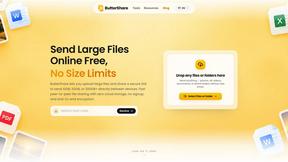
ButterShare is a browser-based peer-to-peer file transfer tool that lets you send large files and folders directly between devices without signup or c

LightScreen
Free light screen tool online. Turn any display into a flashlight, ambient light, or solid-color screen. No download or sign-up.

AI Email Filter
AI Email Filter sorts incoming mail into folders using plain-language prompts you write. Works with any IMAP mailbox; bring your own LLM if you want.

Leads Reddit
LeadsReddit helps founders, marketers, and sales teams find people on Reddit who are actively looking for what they sell. Instead of scrolling through

Product Launch Checklist
A free launch checklist for SaaS, apps, AI tools and more. Every step says why it matters and when you can skip it.

Kody Tools
Free collection of online developer utilities, code formatters, and digital converters designed to streamline your daily workflow.
Forms Plugin
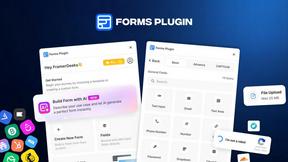
The #1 Native Form Builder Plugin for Framer - No Code, No Embeds, No External Platforms.



tallycounterweb.com
Tally Counter is a simple online counting tool for tracking attendance, workouts, inventory, sports scores, and everyday activities.

iHatePosting
Create once, tailor for each platform, and schedule posts across 14 social networks from one simple dashboard.
PDFWix
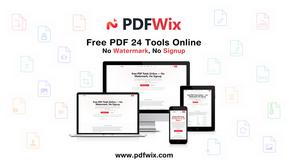
PDFWix is a free online PDF toolkit designed to make everyday PDF tasks simple, fast, and private.
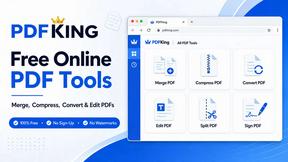
PDFKing
Free online PDF tools to merge, compress, convert, edit, sign, and manage documents—no signup, watermarks, or daily limits.

LinkedIn Translator
Turn plain English into credible LinkedIn writing—or decode jargon into direct language.


About QuickTextTools Alternatives
QuickTextTools is a free, browser-based platform that falls under the productivity and management category, offering over 76 utilities designed to streamline text-related tasks for writers, marketers, and developers. Users commonly seek alternatives due to specific limitations such as the need for more advanced features like API integration, desktop application support, or a broader range of tools beyond text formatting and SEO analysis. Others may require collaboration features, offline functionality, or a different user interface that better aligns with their workflow preferences. When evaluating an alternative, it is important to consider the breadth of tools offered, the platform's ease of use, the level of data privacy and security provided, and whether the solution supports your specific operating system or device requirements without requiring complex installations. The decision to switch often stems from a need for more specialized utilities, such as advanced grammar checking, image-based text extraction, or batch processing capabilities that QuickTextTools may not fully cover. Additionally, users might look for alternatives that offer tiered pricing for premium features, as QuickTextTools remains entirely free, which can sometimes limit the depth of certain functionalities. To choose the right alternative, focus on platforms that prioritize speed and privacy while offering a comprehensive set of tools that directly address your daily tasks, whether that involves keyword management, content optimization, or developer utilities. Verifying that the alternative provides consistent updates and reliable performance without intrusive ads or data collection practices is also essential for a seamless experience.
FAQs about QuickTextTools Alternatives
What is QuickTextTools?
QuickTextTools is a free, user-friendly online platform that features over 76 browser-based tools designed to enhance productivity for writers, marketers, developers, students, SEO professionals, and content creators. It offers a variety of utilities such as text formatting tools, SEO analysis utilities, writing assistants, keyword management tools, and developer utilities, all aimed at simplifying workflows and saving time. The platform operates directly in your browser, eliminating the need for complicated setups or software downloads.
Who is QuickTextTools for?
QuickTextTools is designed for a broad audience including writers, marketers, developers, students, SEO professionals, and content creators who need to optimize text and enhance productivity. It is particularly useful for individuals who regularly perform tasks such as cleaning up keyword lists, analyzing SEO meta tags, converting text case formatting, or improving their writing process. The platform is accessible to anyone with a browser, making it suitable for both professionals and casual users.
Is QuickTextTools free?
Yes, QuickTextTools is completely free to use, offering access to all 76+ utilities without any cost or subscription fees. Users do not need to sign up, provide payment information, or download any software to start using the tools. This makes it an accessible and cost-effective solution for individuals and teams looking to enhance their text-related workflows without financial commitment.
What are the main features of QuickTextTools?
QuickTextTools provides over 76 browser-based utilities organized into categories such as text formatting tools, SEO analysis utilities, writing assistants, keyword management tools, and developer utilities. Key features include fast, easy-to-use interfaces that operate directly in the browser, ensuring privacy and security as data is not stored on external servers. The platform also emphasizes a hassle-free experience by eliminating the need for complicated setups or software downloads, allowing users to work smarter and more efficiently.