

Alternatives to QUVIAI
QUVIAI uses AI to generate photorealistic renders, videos, 3D scenes, and music from simple text or image inputs.
Explore 15 alternatives to QUVIAI. Compare features, pricing, and find the best fit for your needs.

Vismuse
Create polished AI images and videos from prompts or references for social posts, ads, flyers, album covers, and campaigns.
PerchanceAI
PerchanceAI is a free AI video generator and a free AI image generator with no sign-up required.
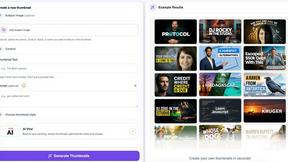
StopScroll
AI YouTube thumbnail maker that helps creators generate high-click thumbnails faster.
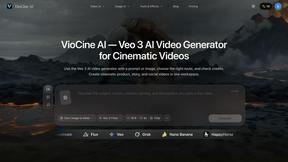
HubVanta AI
HubVanta AI helps creators generate images and videos with advanced AI tools for visual content workflows.

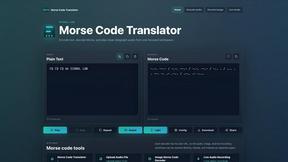
morsecode-translator
Morse Code Translator lets you encode text, decode Morse from audio or images, and play clean telegraph sounds in one focused workspace.
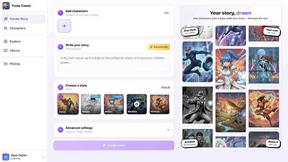
Yume Comic
Yume Comic transforms your story ideas into consistent manga or webtoon pages using AI, no drawing skills required.
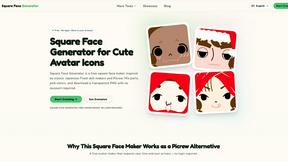
Square Face Generator
Square Face Generator is a free, browser-based avatar maker that lets you mix parts and colors to create cute square icons and download transparent.

Voloshow
Voloshow is an AI creative studio for generating, editing, and transforming images and short videos in one workspace.
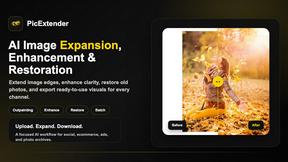
PicExtender
PicExtender uses AI to expand, enhance, and restore images, letting you extend canvases, sharpen details, and revive old photos in one workflow.
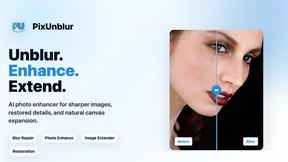
PixUnblur
PixUnblur uses AI to sharpen blurry photos by restoring detail, reducing noise, and fixing camera shake or focus issues.
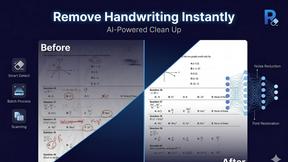
Remove Handwriting
Effortlessly erase handwritten text from images and PDFs while preserving original content with our AI-powered removal tool.
GPT Image 2
GPT Image 2 is an advanced AI image generator that creates ultra-realistic visuals with precise text rendering and enhanced creative control.
About QUVIAI Alternatives
QUVIAI is an all-in-one AI-powered creative platform that belongs to the image generation and 3D design category. It enables architects, designers, and creators to transform sketches, images, or 3D models into photorealistic renders, cinematic videos, multi-angle views, floor plan renders, and even original music. While the platform offers a comprehensive suite of tools, users commonly look for alternatives due to factors such as pricing structures, specific feature gaps, platform compatibility needs, or the desire for a more specialized tool that focuses on a single aspect of the creative workflow rather than an all-in-one solution. When evaluating an alternative to QUVIAI, it is important to consider the core features that matter most to your workflow. Look for platforms that offer high-quality photorealistic rendering, support for 3D model imports, and intuitive text-to-scene editing capabilities. Additionally, assess the platform’s pricing model, whether it offers a free tier, and how well it integrates with other design software you already use. For users focused on architecture or product design, the ability to generate floor plans, furniture, and cinematic walkthroughs should be a priority, while those in music or multimedia creation may prioritize audio generation features.
FAQs about QUVIAI Alternatives
What is QUVIAI?
QUVIAI is an all-in-one AI-powered creative platform designed for architects, designers, and creators. It allows users to upload sketches, images, or 3D models and transform them into photorealistic renders, cinematic videos, multi-angle views, floor plan renders, 3D objects, and original music. The platform also features a built-in 3D workspace for modeling, rendering, and iterating without switching between different tools.
Who is QUVIAI for?
QUVIAI is built for architects, designers, and creators who need to generate high-quality visual content quickly. It is particularly useful for professionals in architecture, interior design, product design, and multimedia creation who want to produce photorealistic renders, cinematic walkthroughs, and original music from a single platform. The tool is designed to streamline workflows by combining 3D modeling, rendering, and AI generation in one place.
Is QUVIAI free?
QUVIAI offers a free trial that allows users to explore its core features before committing to a paid plan. The platform is available on web, iOS, and Android, and you can try it for free at quvi.ai. For continued access to advanced features, higher resolution outputs, or commercial usage, users may need to subscribe to a paid tier.
What are the main features of QUVIAI?
QUVIAI’s main features include AI-powered generation of photorealistic renders, cinematic videos, multi-angle views, floor plan renders, and 3D objects from sketches or images. It also offers a built-in 3D workspace for modeling and editing scenes using text prompts, as well as the ability to generate furniture and decorative objects. Additionally, the platform can produce original music and cinematic walkthroughs from start and end frames, all within a single interface.