

Alternatives to Remove Handwriting
Effortlessly erase handwritten text from images and PDFs while preserving original content with our AI-powered removal tool.
Explore 15 alternatives to Remove Handwriting. Compare features, pricing, and find the best fit for your needs.
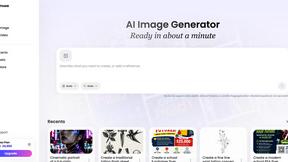
Vismuse
Create polished AI images and videos from prompts or references for social posts, ads, flyers, album covers, and campaigns.
PerchanceAI
PerchanceAI is a free AI video generator and a free AI image generator with no sign-up required.
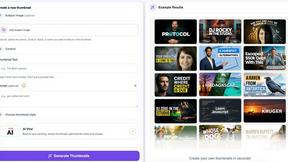
StopScroll
AI YouTube thumbnail maker that helps creators generate high-click thumbnails faster.

HubVanta AI
HubVanta AI helps creators generate images and videos with advanced AI tools for visual content workflows.
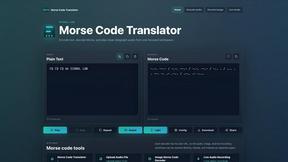
morsecode-translator
Morse Code Translator lets you encode text, decode Morse from audio or images, and play clean telegraph sounds in one focused workspace.
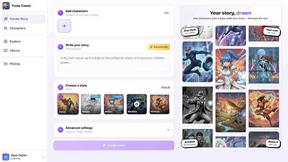
Yume Comic
Yume Comic transforms your story ideas into consistent manga or webtoon pages using AI, no drawing skills required.
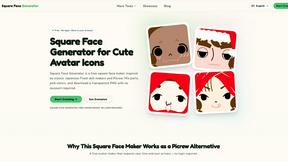
Square Face Generator
Square Face Generator is a free, browser-based avatar maker that lets you mix parts and colors to create cute square icons and download transparent.
Voloshow
Voloshow is an AI creative studio for generating, editing, and transforming images and short videos in one workspace.
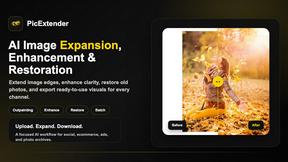
PicExtender
PicExtender uses AI to expand, enhance, and restore images, letting you extend canvases, sharpen details, and revive old photos in one workflow.
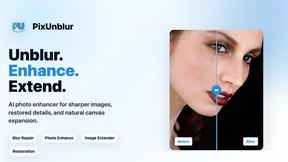
PixUnblur
PixUnblur uses AI to sharpen blurry photos by restoring detail, reducing noise, and fixing camera shake or focus issues.
QUVIAI
QUVIAI uses AI to generate photorealistic renders, videos, 3D scenes, and music from simple text or image inputs.
GPT Image 2
GPT Image 2 is an advanced AI image generator that creates ultra-realistic visuals with precise text rendering and enhanced creative control.
About Remove Handwriting Alternatives
Remove Handwriting is an innovative AI-powered tool designed to eliminate handwritten text, notes, and annotations from images, PDFs, and scanned documents. This product falls within the category of image generation and document cleanup, offering users a quick and efficient way to enhance their digital files while preserving important elements like printed text, tables, and diagrams. Many users seek alternatives to Remove Handwriting for various reasons, including pricing concerns, specific feature requirements, or the need for compatibility with different platforms and devices. When exploring alternatives, it is essential to consider factors such as ease of use, processing speed, and the quality of the output. Users should also look for options that support various file formats and provide functionality like batch processing or API access for larger workflows. Ultimately, the right alternative will depend on individual needs, whether for personal use, academic purposes, or professional document management.
FAQs about Remove Handwriting Alternatives
What is Remove Handwriting?
Remove Handwriting is an AI-powered tool that enables users to erase handwritten text, notes, and annotations from images, PDFs, and scanned documents. It effectively preserves printed text, tables, and diagrams while enhancing the overall quality of the document.
Who is Remove Handwriting for?
Remove Handwriting is designed for a wide range of users, including students, professionals, and anyone needing to clean up scanned documents or images. It is especially useful for those dealing with worksheets, contracts, archives, and exam papers.
Is Remove Handwriting free?
Yes, Remove Handwriting offers a free trial with no credit card required, allowing users to test the tool before committing to a subscription. This provides an excellent opportunity to evaluate its features and effectiveness.
What are the main features of Remove Handwriting?
Remove Handwriting boasts several key features, including the ability to erase handwritten text while preserving printed elements and fixing issues like shadows, skew, and curled edges. It supports multiple file formats such as JPG, PNG, JPEG, and PDF, and offers batch processing and API access for larger workflows.