

Alternatives to Very Good Calendar Sync
Very Good Calendar Sync quietly keeps work, personal, and client calendars aligned on your Mac without linking accounts or exposing sensitive data.
Explore 20 alternatives to Very Good Calendar Sync. Compare features, pricing, and find the best fit for your needs.
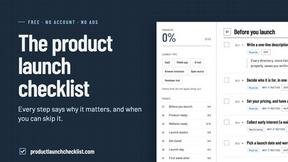
Product Launch Checklist
A free launch checklist for SaaS, apps, AI tools and more. Every step says why it matters and when you can skip it.
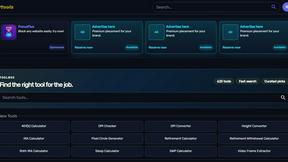
Kody Tools
Free collection of online developer utilities, code formatters, and digital converters designed to streamline your daily workflow.
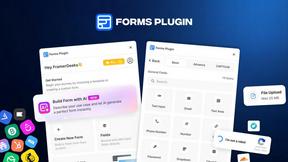
Forms Plugin
The #1 Native Form Builder Plugin for Framer - No Code, No Embeds, No External Platforms.
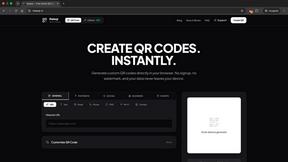

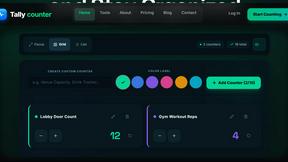
tallycounterweb.com
Tally Counter is a simple online counting tool for tracking attendance, workouts, inventory, sports scores, and everyday activities.

iHatePosting
Create once, tailor for each platform, and schedule posts across 14 social networks from one simple dashboard.
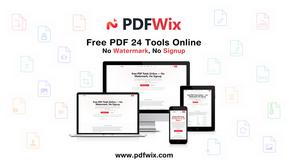
PDFWix
PDFWix is a free online PDF toolkit designed to make everyday PDF tasks simple, fast, and private.
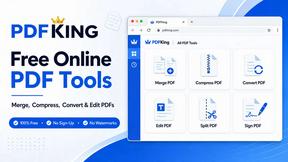
PDFKing
Free online PDF tools to merge, compress, convert, edit, sign, and manage documents—no signup, watermarks, or daily limits.
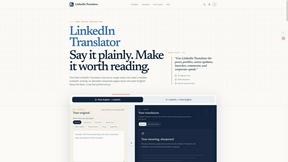
LinkedIn Translator
Turn plain English into credible LinkedIn writing—or decode jargon into direct language.



Video2URL
Turn videos, images, PDFs, and files into shareable links with fast uploads and privacy-friendly controls.

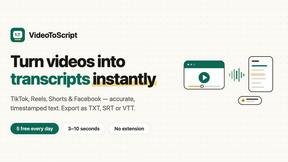
VideoToScript
Turn TikTok, Reels, Shorts, Facebook videos, audio, and video into accurate timestamped transcripts with TXT, SRT, and VTT exports.
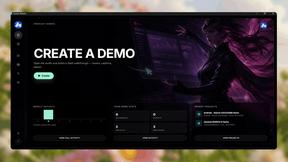
Screen Beaver
Create product videos manually or let your AI agent control Screen Beaver through MCP—no mouse or keyboard needed.
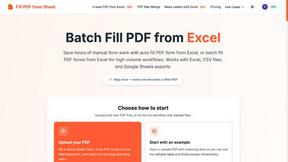
Fill PDF from Sheet
Fill PDF from Sheet automates the process of populating PDF forms from data in Excel, CSV, or Google Sheets.


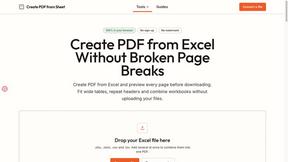
Create PDF from Excel
Create PDF from Excel online and preview every page before downloading. Fit wide sheets, repeat headers, and combine workbooks privately.
About Very Good Calendar Sync Alternatives
Very Good Calendar Sync is a macOS-native application designed to automate and privatize calendar synchronization, falling squarely within the productivity and management category. It works by quietly monitoring the calendars in your macOS Calendar.app and automatically reflecting any changes across them, eliminating the need to manually check multiple schedules. Users commonly look for alternatives due to specific needs such as a lower price point for basic use, a desire for cross-platform support beyond macOS, or the requirement for more granular control over event filtering beyond weekdays and hours. Some may also seek solutions that integrate with a wider variety of calendar services or that offer team-based sharing features not present in a single-user desktop app. When evaluating an alternative, it is crucial to prioritize data privacy and security, ensuring any solution respects your credentials and does not store your information in the cloud unless explicitly desired. You should also consider the ease of setup, the reliability of background syncing, and whether the tool offers the specific filtering options—like time ranges and event detail sharing—that match your daily workflow. The best alternative will balance these features with a pricing model that fits your budget, all while maintaining the seamless, set-it-and-forget-it experience that makes calendar sync tools valuable.
FAQs about Very Good Calendar Sync Alternatives
What is Very Good Calendar Sync?
Very Good Calendar Sync is a macOS application that automatically synchronizes events across your calendars without requiring manual checks. It operates quietly in the background, monitoring your calendars in macOS Calendar.app and instantly updating changes between them, such as making a new work meeting appear on your personal calendar. The app is designed to be a set-it-up-and-forget-it tool, providing seamless and private calendar management for users who need to keep multiple schedules in harmony.
Who is Very Good Calendar Sync for?
Very Good Calendar Sync is ideal for professionals who manage multiple calendars and want to avoid the chaos of conflicting schedules. This includes consultants balancing client calendars, employees separating work and personal life, and freelancers juggling various project timelines. It is also perfect for anyone tired of manually checking different calendar apps and seeking a private, automated solution to keep their events consistently aligned.
Is Very Good Calendar Sync free?
The provided content does not specify whether Very Good Calendar Sync is free or a paid application. However, it emphasizes the product's value through its privacy features and automation, which often indicate a premium tool. For accurate pricing details, users should check the official product listing or the developer's website to confirm the current cost and any available trial options.
What are the main features of Very Good Calendar Sync?
The main features include automatic background syncing of any calendar available in macOS Calendar.app, with no need for manual updates. Users can control synchronization by selecting specific weekdays, setting daily hours (such as 9 AM to 6 PM), and choosing a start date for the sync. Additionally, it offers privacy-focused controls, allowing you to decide whether to share full event details or just your busy time, and it ensures your data never leaves your Mac.