

Alternatives to LoadTester
LoadTester is a modern HTTP and API load testing tool that runs distributed performance checks from your browser or CI/CD pipeline without managing.
Explore 20 alternatives to LoadTester. Compare features, pricing, and find the best fit for your needs.


VidhyaGen
Vidhyagen is an all-in-one platform for fast image conversion, background removal, and smart image processing tools.
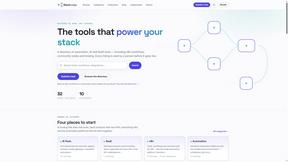
StackLedge
A 100% human-curated directory to discover the absolute best AI, automation, and SaaS tools without the SEO spam.

Screen Beaver
Create product videos manually or let your AI agent control Screen Beaver through MCP—no mouse or keyboard needed.


xDevTools
Private developer utilities: 1000+ tools for coding, encryption, and analysis. No server uploads.

BeatAPI
Async AI video workflow API for music videos, ecommerce ads, editable storyboards, webhooks, and hosted outputs.

Korg Chat
Korg is a minimalist, ultra-fast AI assistant designed for speed, clarity, and deep reasoning.
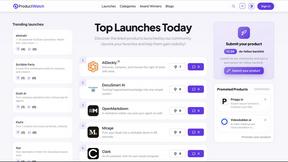
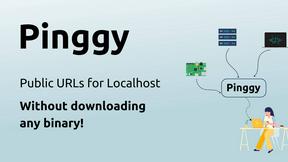

ContextBolt
ContextBolt provides MCP servers that let your AI agent access bookmarks, SEO data, and competitor insights directly inside Claude.
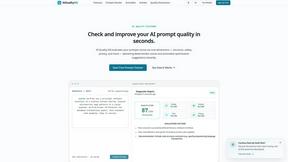
AIQualityHQ
AIQualityHQ is a free, local deterministic engine that evaluates and improves your AI prompts across six key dimensions in under 10 milliseconds.
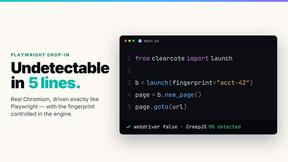
Clearcote
Clearcote is an open-source, de-Googled Chromium drop-in for Playwright and Puppeteer that gives you engine-level fingerprint control for a single.
CodeToPDF
CodeToPDF offers free, instant developer tools for converting code to PDF, formatting JSON, and more with no sign-ups or limits.

JustLaunched
JustLaunched helps indie makers schedule product launches, reach buyers, and blast across curated SaaS directories to get discovered.
Buildlist
Buildlist is a SaaS directory that instantly lists your product using any AI API key, helping you launch and grow.

Polymarket Trading Bot For Crypto
An automated trading bot that executes arbitrage and hedging strategies on Polymarket's 5-15 minute crypto markets with transparent, verifiable.

Push My App
Push My App lets developers manage, optimize, and deploy ASO listings directly to Apple and Google from one dashboard.

About LoadTester Alternatives
LoadTester is a specialized developer tool designed for running HTTP and API load tests without the overhead of managing dedicated infrastructure. It falls within the dev tools category, specifically focusing on performance testing and monitoring for engineering teams. Users commonly explore alternatives to LoadTester for a variety of reasons, including seeking different pricing models that better fit their budget, requiring more advanced or niche features like distributed testing from multiple geographic regions, needing deeper integration with a specific tech stack, or simply wanting a platform that aligns with a different workflow or team size. When evaluating an alternative, it is crucial to consider the ease of test creation, the accuracy of real-time latency and error rate monitoring, the flexibility of scheduling and reporting, and the availability of API access for seamless integration into existing continuous integration and deployment pipelines. The primary goal when looking for a replacement should be to find a solution that simplifies the process of catching performance regressions before they impact end users. An effective alternative should offer clear, comparable results across test runs and provide robust export capabilities for sharing insights with the broader team. You should also evaluate how the tool handles virtual user simulation versus requests per second metrics, as this directly affects the realism of your load tests. Ultimately, the right choice will depend on balancing core performance monitoring features with the specific scalability, security, and integration requirements of your software development lifecycle.
FAQs about LoadTester Alternatives
What is LoadTester?
LoadTester is a dev tool that allows developers and teams to run HTTP and API load tests without the need to set up or manage any load testing infrastructure. It provides a streamlined interface for creating tests, simulating virtual users or requests per second, and monitoring live performance metrics. The tool is designed to help catch performance regressions before they affect end users by providing clear, comparable results across different test runs.
Who is LoadTester for?
LoadTester is built for developers, QA engineers, and DevOps teams who need to perform simple, repeatable performance checks on their HTTP and API endpoints. It is particularly useful for teams that want to integrate load testing into their workflow without the complexity of traditional infrastructure setup. The tool supports exports, scheduled tests, and API access, making it suitable for both individual developers and collaborative team environments.
What are the main features of LoadTester?
Key features of LoadTester include the ability to create tests by choosing between virtual users or requests per second, live monitoring of latency and error rates, and detailed review of completed test results. It also offers run comparison capabilities to identify performance regressions, along with exports, scheduled testing, API access, and workflow integrations. These features enable teams to maintain consistent performance standards without manual overhead.
Is LoadTester secure?
While specific security certifications are not detailed in the provided content, LoadTester is designed as a professional dev tool for performance testing, which typically involves handling sensitive API endpoints and data. Users should assume that standard security practices are in place, such as encrypted data transmission and secure API access. For detailed security protocols and compliance information, it is recommended to consult the official LoadTester documentation or contact their support team directly.