

Alternatives to RecordFlow
RecordFlow automatically backs up Zoom cloud recordings to Google Drive and can delete them from Zoom to free storage after a secure transfer.
Explore 20 alternatives to RecordFlow. Compare features, pricing, and find the best fit for your needs.
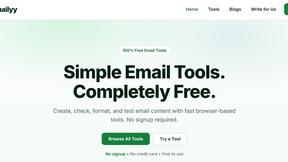
Emailyy
Free email tools for signatures, subject lines, HTML previews, word counts, and email headers. Browser-based, simple to use, and no signup required.

Uniclip
Clip pages, take full-page screenshots and batch-capture list data to Notion, Feishu, Obsidian, Markdown, CSV or JSON.
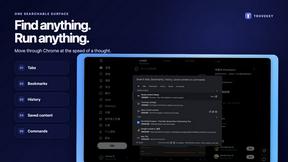
TroveKey
Search tabs, Chrome bookmarks and history, run browser commands, and save webpages and social posts locally—no account.
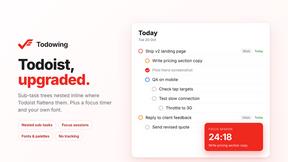
Todowing
Chrome extension that nests Todoist sub-tasks under their parents in Today, Upcoming, filter and label views. Free tier, $19.99 lifetime unlock.

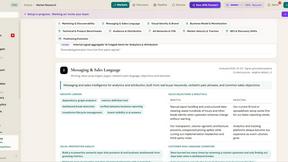
ROIpad
ROIpad turns positioning into a data-driven science. Track competitor moves and live market signals to find exact high-converting messaging gaps.
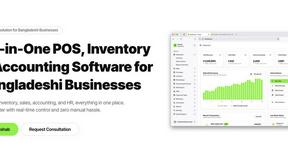
Hishab
All-in-one POS, inventory, accounting and HR software for Bangladeshi SMEs — real-time sales, stock and finance in one place.
Noter AI
AI meeting notes, transcripts, summaries and action items on iPhone, iPad and Android.
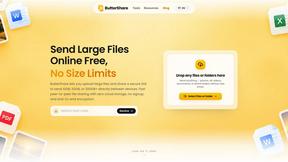
ButterShare
ButterShare is a browser-based peer-to-peer file transfer tool that lets you send large files and folders directly between devices without signup or c
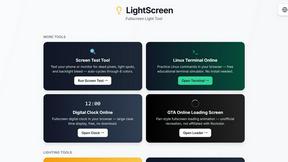
LightScreen
Free light screen tool online. Turn any display into a flashlight, ambient light, or solid-color screen. No download or sign-up.
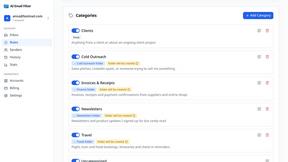
AI Email Filter
AI Email Filter sorts incoming mail into folders using plain-language prompts you write. Works with any IMAP mailbox; bring your own LLM if you want.

Leads Reddit
LeadsReddit helps founders, marketers, and sales teams find people on Reddit who are actively looking for what they sell. Instead of scrolling through

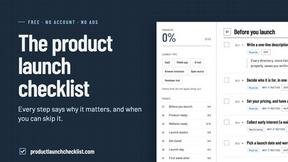
Product Launch Checklist
A free launch checklist for SaaS, apps, AI tools and more. Every step says why it matters and when you can skip it.
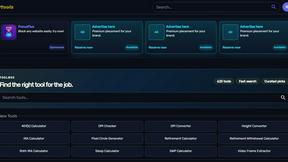
Kody Tools
Free collection of online developer utilities, code formatters, and digital converters designed to streamline your daily workflow.
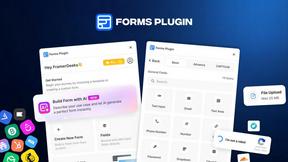
Forms Plugin
The #1 Native Form Builder Plugin for Framer - No Code, No Embeds, No External Platforms.
About RecordFlow Alternatives
RecordFlow is a specialized automation tool that falls within the productivity and management category, designed to solve the specific problem of Zoom cloud recording storage management. It functions as a bridge between Zoom and Google Drive, automatically transferring completed recordings—including video, audio, transcripts, and chat logs—directly into a user's designated Drive folder. This eliminates the need for manual downloads and helps users avoid paying for unnecessary Zoom storage by offering an optional auto-delete feature that removes recordings from Zoom once a verified copy exists in Google Drive. Users commonly seek alternatives to RecordFlow for several reasons, including pricing structures that may not fit their budget, a desire for compatibility with other cloud storage platforms beyond Google Drive, or the need for more advanced organizational features like custom naming conventions or multi-user management. When evaluating an alternative, it is crucial to look for a tool that offers reliable, automated transfer with strong data security, such as OAuth authentication and encryption. Additionally, consider whether the solution supports the specific file types you need, offers a simple setup process, and provides a safe mechanism for freeing up Zoom storage without risking data loss.
FAQs about RecordFlow Alternatives
What is RecordFlow?
RecordFlow is an automation tool that backs up Zoom cloud recordings to Google Drive automatically. It transfers video, audio, transcripts, and chat logs the moment a meeting ends, and can also backfill recordings from the past two years. The tool is designed to eliminate manual downloads and help users avoid paying for unnecessary Zoom storage.
Who is RecordFlow for?
RecordFlow is specifically built for coaches, consultants, therapists, professors, and small teams who cannot afford to lose a recording. It is ideal for professionals who rely on Zoom for client sessions, classes, or meetings and need a reliable, hands-off way to archive their content. The tool is especially useful for those who want to free up Zoom storage without risking data loss.
Is RecordFlow free?
The provided content does not specify a pricing model for RecordFlow, so it is not confirmed whether it is free or paid. Users should visit the official RecordFlow website or contact their support team for current pricing details and any available free trial options. The tool emphasizes a 60-second setup and a 'forget it' automation experience, suggesting it is designed for ease of use.
What are the main features of RecordFlow?
RecordFlow offers automatic transfer of Zoom cloud recordings to Google Drive, including MP4 video, M4A audio, VTT transcripts, formatted Google Doc transcripts, and chat logs. It features an optional auto-delete function that removes recordings from Zoom on a safe delay after the Drive copy is verified, freeing storage. The tool uses chunked transfers for large files, smart deduplication to safely re-run, automatic retries, and never stores recordings itself, relying on OAuth 2.0 and AES-256 encryption for security.