

Alternatives to Vivideo
Vivideo turns text or images into professional AI-generated videos up to 10 minutes long using 30+ top models, free with no watermark.
Explore 20 alternatives to Vivideo. Compare features, pricing, and find the best fit for your needs.

GenX
All-in-one AI workspace to generate images, videos, and audio with multiple leading AI models.

AI Rap Video Maker
Turn a photo into a rap performance — a silent stage clip or an original 10–15s rap video with your own lyrics, beat style and voice direction.

Dola AI
Create AI videos from text or images with Dola AI. Free signup credits, pick a video model and download your clips. Image generation included.
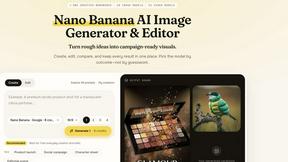
Nano AI
Create and edit AI images, generate videos, and compare models in one creative workbench.
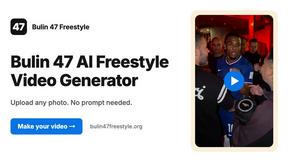
Bulin 47 AI Freestyle Video Generator
Upload any photo and get your own Bulin 47 AI Freestyle video
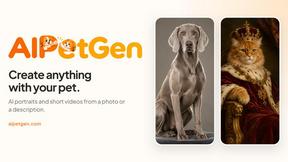
AIPetGen
AIPetGen turns a photo of your dog, cat, or other pet, or a written description, into a new picture or a short animation.
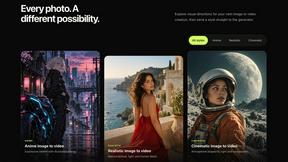
Flico.art | Free AI Video Generator
Turn an image into an AI video in seconds. Free to generate, no sign-up. Upload any photo and choose from anime, realistic & cinematic styles.

Slide-Easy
A Mac app that turns your App Store link into a week of Instagram Reels and carousels, written from your real reviews.



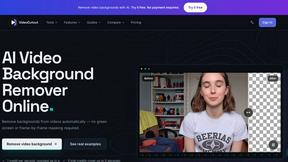

Video2URL
Turn videos, images, PDFs, and files into shareable links with fast uploads and privacy-friendly controls.
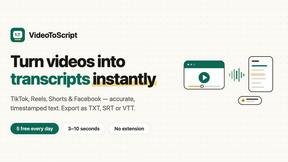
VideoToScript
Turn TikTok, Reels, Shorts, Facebook videos, audio, and video into accurate timestamped transcripts with TXT, SRT, and VTT exports.
Screen Beaver
Create product videos manually or let your AI agent control Screen Beaver through MCP—no mouse or keyboard needed.

About Vivideo Alternatives
Vivideo is an advanced AI video generator that falls within the growing category of automated video creation tools. It utilizes artificial intelligence to transform text inputs, such as scripts or product descriptions, and image uploads into complete, engaging videos. The platform is designed to streamline the entire production process by automatically generating visuals, voiceovers, subtitles, music, and transitions, making it a powerful solution for creators, marketers, and businesses looking to produce content for social media platforms like TikTok, Instagram Reels, and YouTube Shorts. Users often seek alternatives to Vivideo for several reasons, including budget constraints, the need for more specific editing features, or a desire for different pricing models such as one-time payments versus subscriptions. Others may require a tool that integrates more seamlessly with their existing workflow, offers a wider variety of AI voice styles, or provides more granular control over video assets. When choosing an alternative, it is important to evaluate the platform’s core capabilities, such as text-to-video and image-to-video accuracy, the quality of AI voiceovers and subtitles, available aspect ratios and export resolutions, and the overall ease of use. Additionally, consider the library of stock assets and the number of supported languages to ensure the tool meets your specific content creation needs.
FAQs about Vivideo Alternatives
What is Vivideo?
Vivideo is an advanced AI video generator that enables users to create high-quality videos from text prompts, scripts, articles, product descriptions, or uploaded images. It automates the video production process by generating visuals, voiceovers, subtitles, music, and transitions. The platform is powered by multiple AI video models and offers access to millions of stock assets.
Who is Vivideo for?
Vivideo is designed for creators, marketers, businesses, and educators who need to quickly produce engaging video content. It is particularly useful for those creating videos for TikTok, Instagram Reels, YouTube Shorts, marketing campaigns, product promotions, and tutorials. The tool aims to make professional video creation accessible to users without extensive editing experience.
What are the main features of Vivideo?
Key features include text-to-video and image-to-video generation, multilingual AI voiceovers, automatic captions and subtitles, customizable aspect ratios, and support for HD and 4K exports. The platform also provides an intuitive editing workflow and access to millions of stock assets. These features streamline the creation of polished videos for various social media and marketing needs.
Why choose Vivideo?
Users choose Vivideo for its ability to rapidly transform simple text or image inputs into complete, professional-looking videos without manual editing. The platform’s automation of voiceovers, music, and transitions saves significant time compared to traditional video production. Additionally, its support for multiple AI models and high-resolution exports makes it a versatile tool for both short-form social media content and longer promotional videos.